
Duplicate records
You can duplicate existing records by copying them to create new records.
It is useful when you want to reuse records by making some modifications to them and use the rest as is.
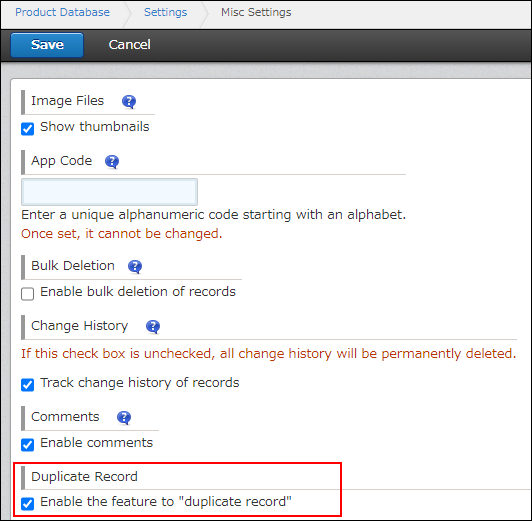
You can disable the Duplicate Record feature for apps that are not suitable for reusing records.
If you disable the Duplicate Record feature, the Duplicate record icon is hidden.
Disabling the Duplicate Record feature
Fields and data that are not copied
When you create a new record by duplicating an existing record, the following fields and data are not copied:
- Record number
- Created by
- Updated by
- Created datetime
- Updated datetime
- Attachment
- Process management information (Status and Assignee)
- Comments
- History
In addition to the fields listed above, data will not be copied for fields for which the user duplicating the record has not been granted the "Edit" permission in the Permissions for fields settings. Any such fields will be left blank.
Configuring permissions for fields
Steps
-
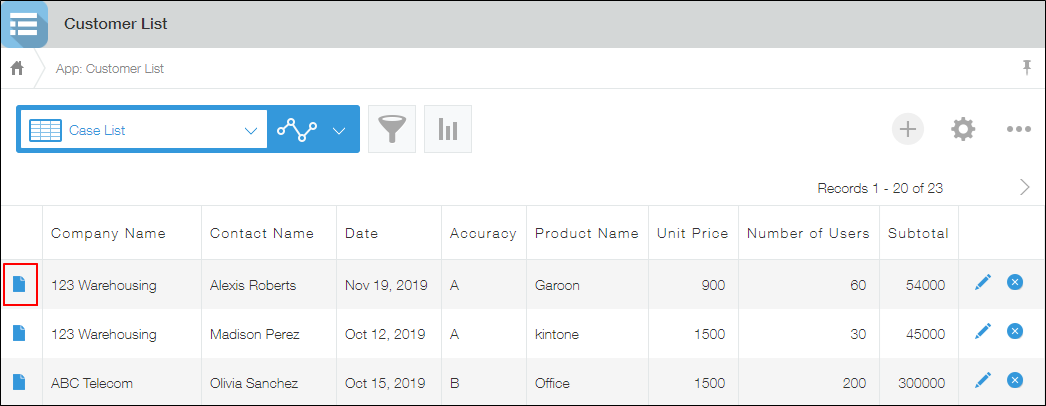
Click an app to display the "View" screen (the top page of the app).
-
Click the Show record details icon at the far left of the record you want to duplicate.
-
Click the Duplicate record icon.
This opens the "New record" screen with the duplicated record's data entered.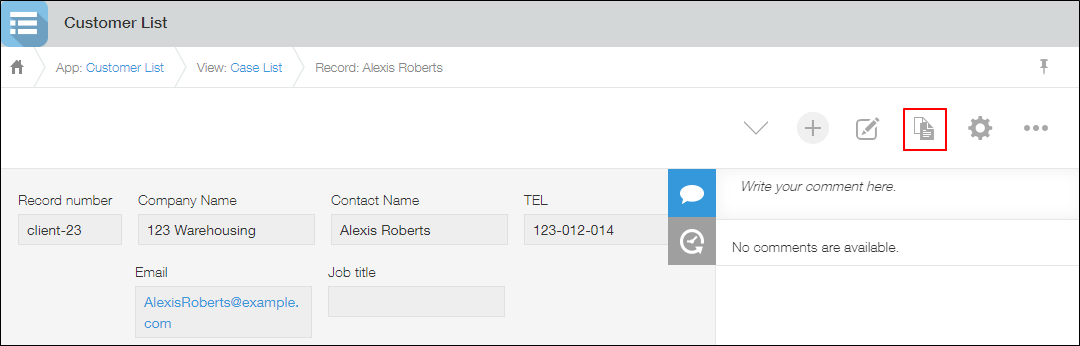
-
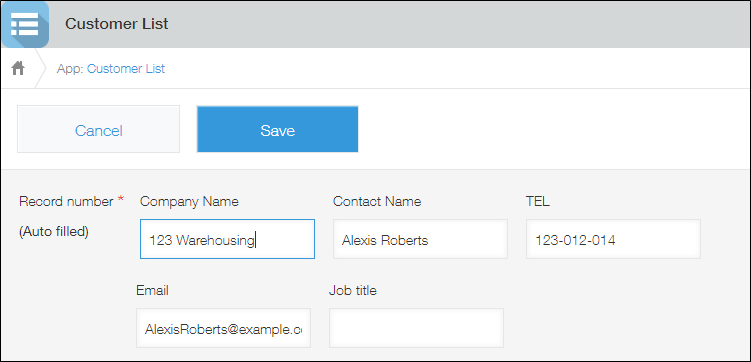
Edit the record as needed.
-
Click Save to save the record. The record is added as a new record.
If you cannot save records due to an error
There may be a problem in the permission settings or app settings.
To resolve the issue, refer to the following pages.
- When I try to save a record, a message "Cannot save the record because of error(s) in the following input data." appears
- The error "(Cannot display the item name)" appears and a record cannot be saved (For app administrators)
Disabling the Duplicate Record feature
The Duplicate Record feature is enabled by default.
For apps that are not suitable for reusing records, you can disable the Duplicate Record feature and hide the button to duplicate records.
-
Click the App settings icon (the gear-shaped icon) at the upper right of the View screen.

-
On the App settings screen, select the App settings tab, then click Misc settings under Advanced settings.
-
On the Misc settings screen, deselect the Enable the feature to "duplicate record" checkbox.
-
Click Save at the bottom right of the screen.
-
On the App settings screen, click Update app.
-
On the "Update app" dialog, click Update app.