
Opening the AI Process Creator
This article explains how to open the AI Process Creator and gives a general overview of its layout.
Opening the AI Process Creator
-
Open the App settings screen of an app that doesn't have the Process Management feature enabled.
-
Click the App settings tab, then select Process management.
-
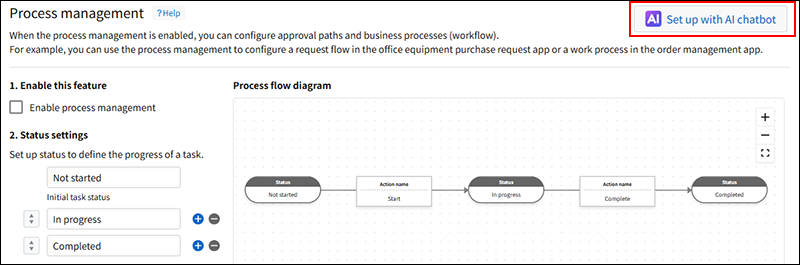
At the top of the Process management screen, click Set up with AI.
Overview of the AI Process Creator
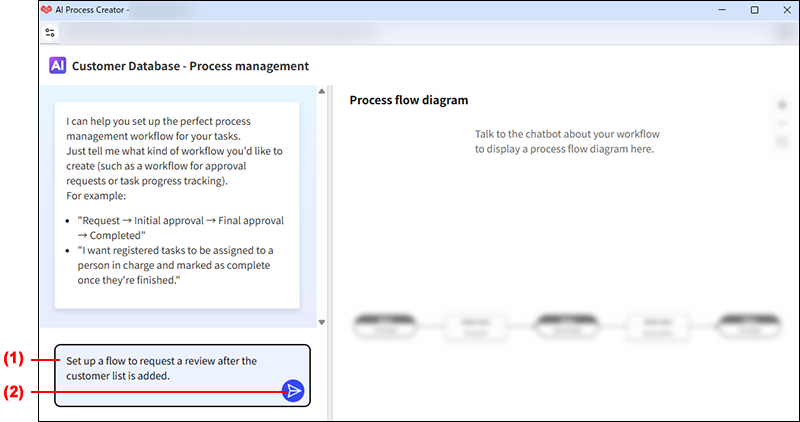
(1) The prompt input field
Enter your questions or instructions in this field.
(2) The "Send" button
This button sends the question or instructions entered in the prompt input field to the AI Process Creator. When it's clicked, the AI Process Creator will start generating an answer.
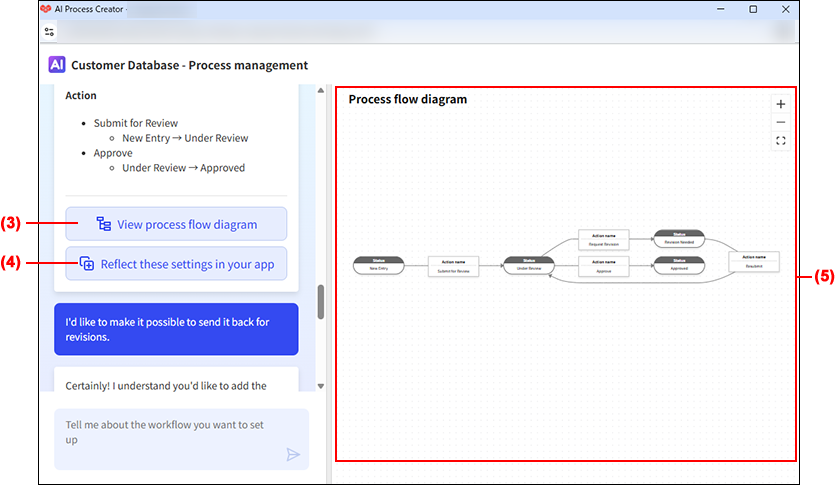
(3) The "View process flow diagram" button
This button displays a process flow diagram of the AI Process Creator's suggested workflow.
(4) The "Reflect these settings in your app" button
This button configures the process management settings to reflect the AI Process Creator's suggested workflow.
(5) The process flow diagram
This is a process flow diagram of the AI Process Creator's suggested workflow.