
I can't select a chart type other than "Table"
If you specify any of the following fields in the Graph contents section of a chart's settings, you will only be able to select Table under Chart type.
- Date
- Time fields
- Date and time
- Created datetime
- Updated datetime
- Calculated
If one of the following is selected as the display format:- Date & time (Aug 06, 2012 2:03 PM)
- Date (Aug 06, 2012)
- Time (2:03 PM)
- Hours & minutes (29 hours 47 minutes)
- Days & hours & minutes (1 day 5 hours 47 minutes)
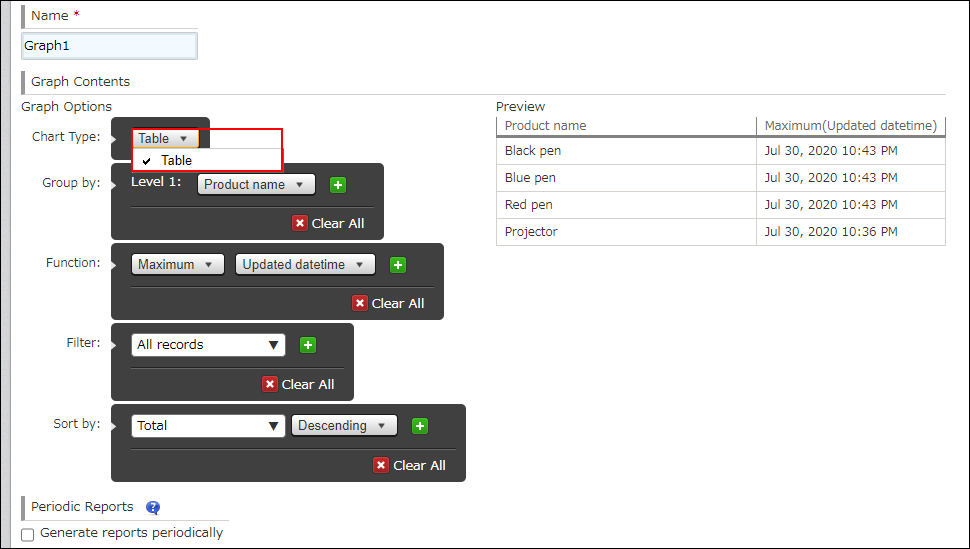
If you want to display your aggregated data in a chart of another type, consider using one of the workarounds described below.
- Export the aggregated data in table format to a file. Then, import the file data into the Number field of a new app and convert the data into a chart other than a table.
Make any necessary changes to the exported file before importing it.
Exporting an aggregate result to a file
Creating apps from Excel files
Creating apps from CSV files - Export the aggregated data in table format or the record data to a file, then use a different tool (e.g. Excel) to create a chart of your choice.
Exporting data to a file