
How to allow only specific users to edit and delete records without prohibiting viewing by other users
The Permissions for records setting allows you to set View, Edit, and Delete permissions for each user.
For instance, if you want to restrict the ability to edit and delete records to only the users in Human Resources and allow other users only to view records, configure the setting as described below:
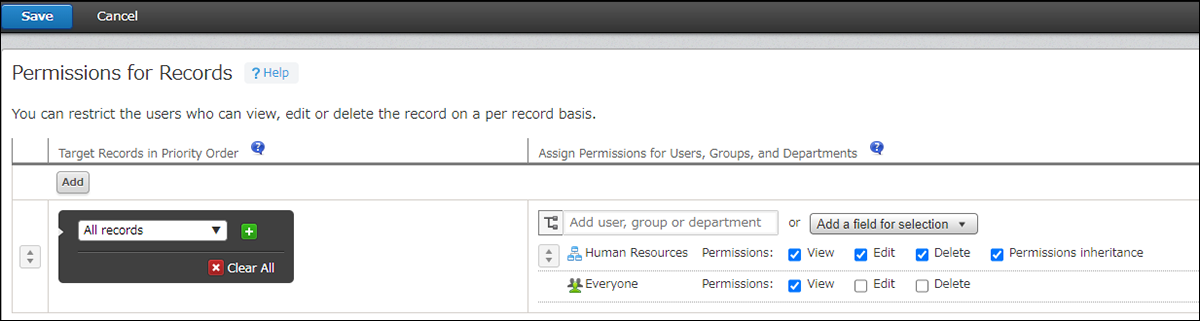
| Target records in priority order | Assign permissions for users, groups, and departments |
|---|---|
| All records | Human Resources [✔] View [✔] Edit [✔] Delete [✔] Permissions inheritance |
| Everyone [✔] View [ ] Edit [ ] Delete |