Resuming app creation
This article explains how to pick up where you left off if you navigate away from the screen while creating an app.
-
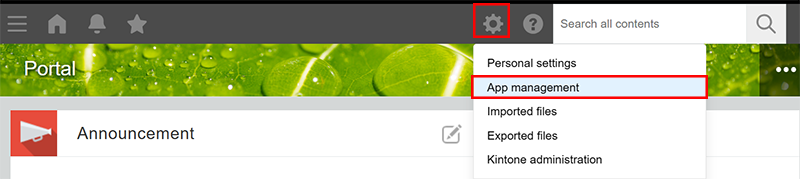
Click the Settings icon (the gear-shaped icon) at the top of Kintone, then click App management.
-
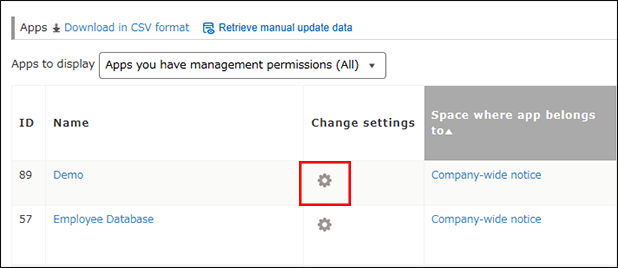
In the Apps section of the App management screen, click the Settings icon (the gear-shaped icon) to the right of the name of the app that you were creating.
The App settings screen will open and you can resume creating the app.