
Restricting the creation of apps in a space to certain users
You can restrict the ability to create apps in a space to only space administrators. These settings need to be configured for each space separately.
By default, users with permission to view a space can create in-space apps in the space.
What is an in-space app?
To restrict the ability to create in-space apps in a space to certain users, select the Only allow space administrators to create apps checkbox on the Space settings dialog. This makes it so only administrators of the space can create apps in the space. Users without the space administrative permission can no longer create apps in the space.
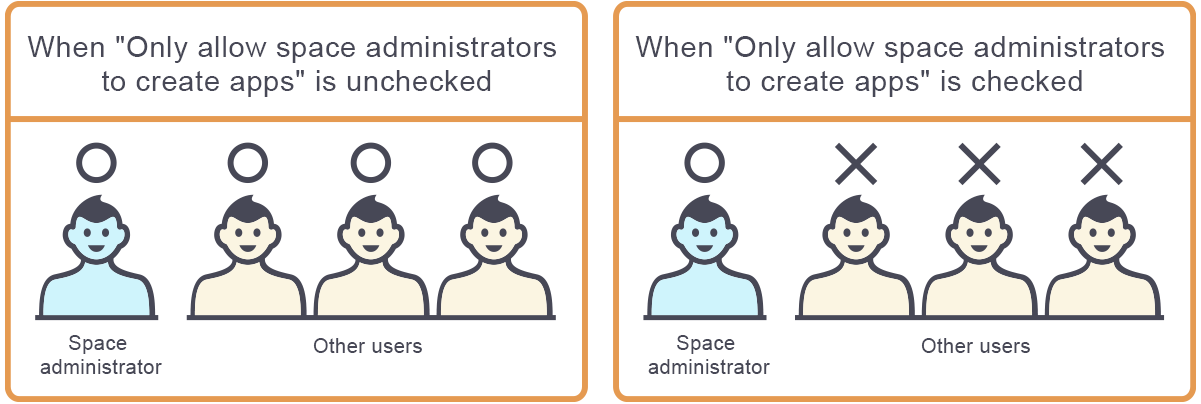
Selecting the Only allow space administrators to create apps check box does not affect the apps already created.
The following are the steps to apply the restriction to an existing space. If you want to configure the setting when creating a new space, refer to the following page:
Creating spaces
-
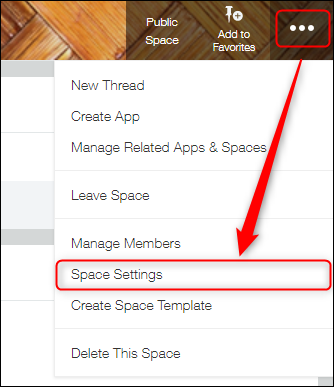
Navigate to the space whose settings you want to change, click the Options icon at the upper right of the screen, and click Space settings.
-
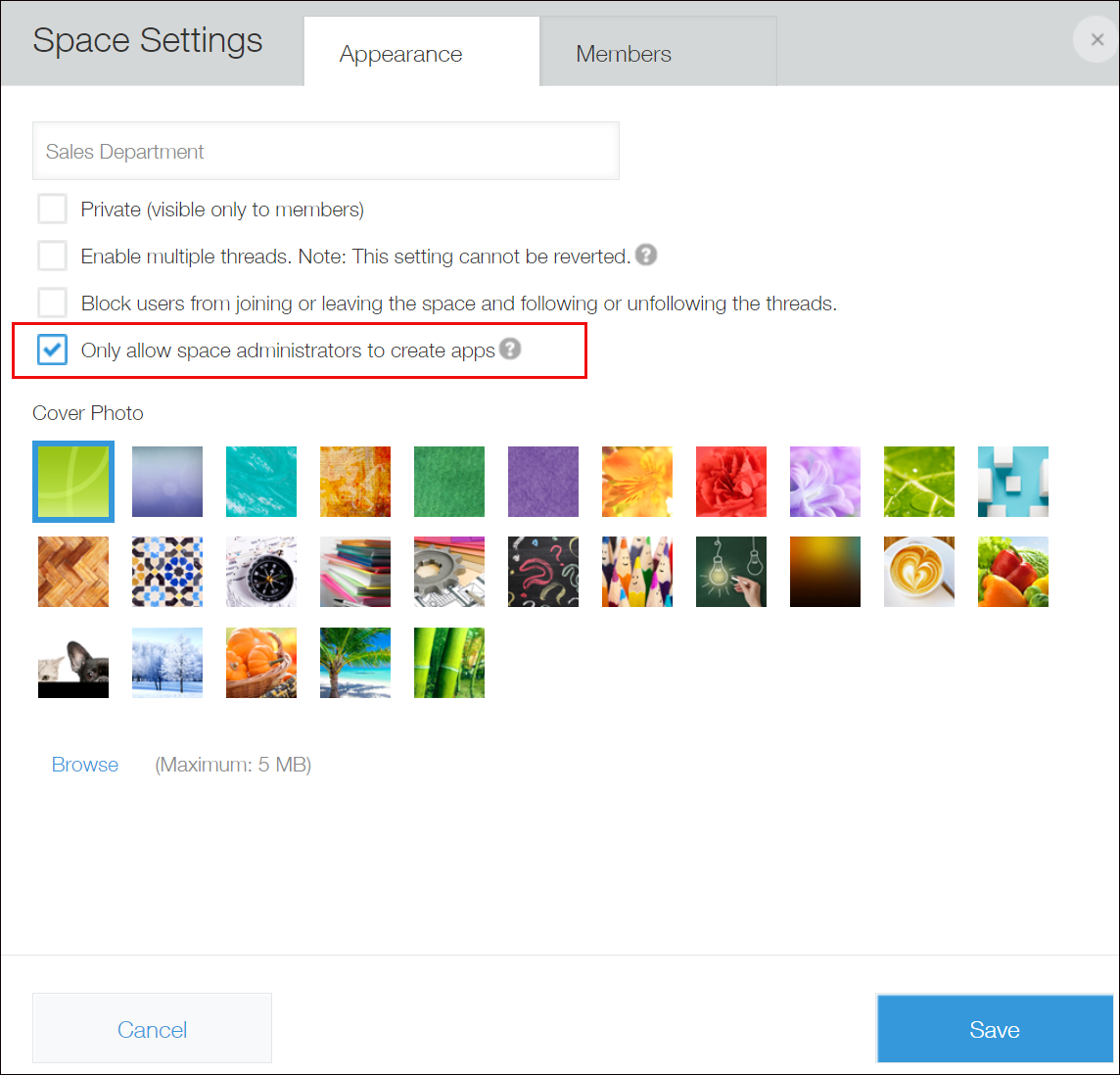
On the Appearance tab, select the Only allow space administrators to create apps checkbox.
-
Click Save.