Procedure for individual users to stop their e-mail notifications
Users can choose to stop receiving email notifications.
To do so, configure your settings as described below.
Steps
-
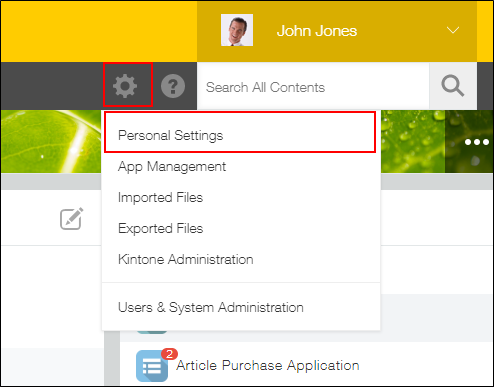
Open Personal settings.
-
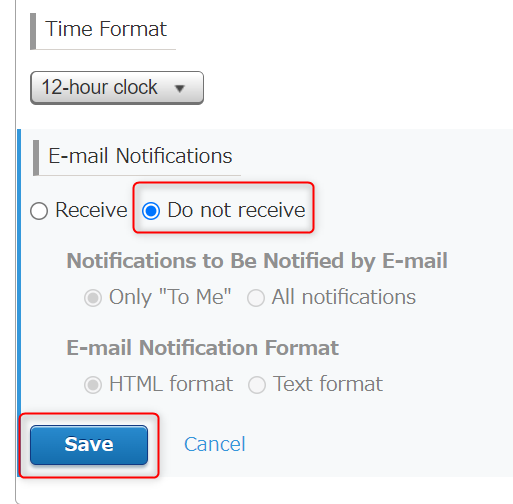
In the Email notifications section, select Do not receive and click Save.