
Understanding notifications on mobile devices
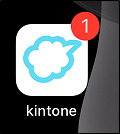
If the kintone mobile app is installed on your iOS or Android device, you can receive push notifications. The number of unread "To me" notifications appears at the top right of the Kintone icon.
On iOS, the notification count on the icon updates automatically in the following cases.
- When you receive a new "To me" notification
- When you mark a notification as "Read"
- The status of a notification is changed from "Read" to "Unread"
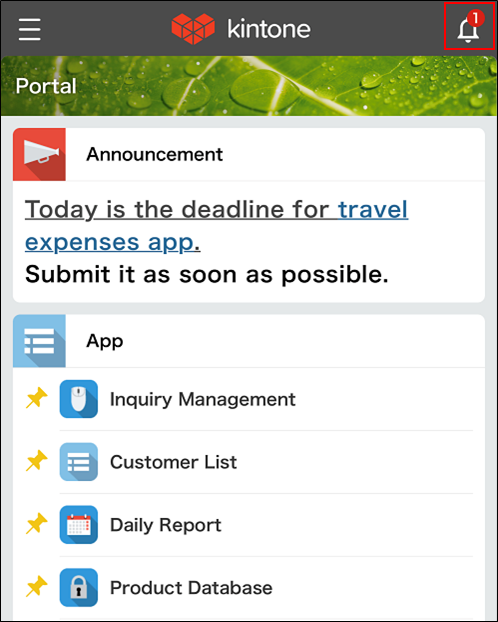
On both iOS and Android, when you tap the Kintone icon in the mobile app or open the Portal screen in a web browser, the number of unread "To me" notifications appears on the bell-shaped Open notification list button at the top right of the screen.
The unread count on the
Open notification list button does not update automatically. It updates when the screen reloads.
The difference between "Notification" and "Assigned to me"
Notification
You can view the notification list by tapping the bell-shaped Open notification list button at the top right of the screen to open the Notifications screen.
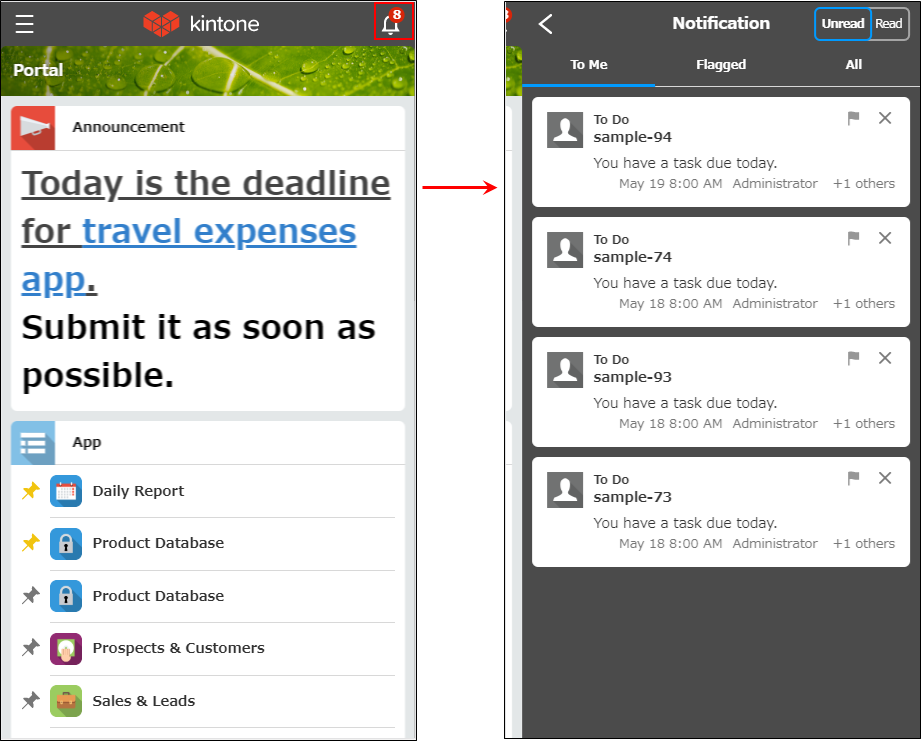
The Notifications screen displays notifications on separate tabs for To me, Read later, and All (or a filter you created).
You can switch between
Unread and Read notifications.
Unread notifications in
To me and All are marked as read when you tap them and no longer appear in the Unread list. Notifications flagged with Read later remain in the Read later tab until you remove the flag.
Also, as in the desktop version, notifications may be grouped. For details, see the following page.
Grouping notifications
Assigned to me
You can view tasks assigned to you by tapping Assigned to me in the navigation menu to open the Assigned to me screen.
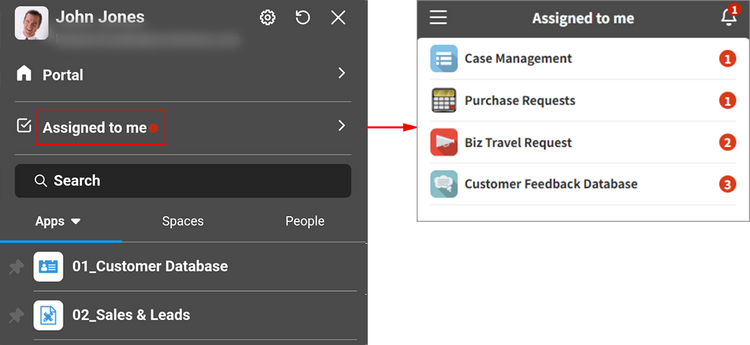
If you are assigned to any records in process management, a red badge appears to the right of Assigned to me in the navigation menu.
The
Assigned to me screen displays apps with records assigned to you, along with the number of pending records.
Separately from the number of pending records, notifications for records assigned to you appear as unread on the To me tab of the Notifications screen.
Even if you take action from
Assigned to me, these notifications are not automatically marked as read. They are marked as read when you tap them on theNotifications screen.