
Summarizing a thread comment and its replies
Learn how to use the AI Thread Summary feature to summarize a space thread comment along with its replies.
This can be useful when a comment has a large number of replies, or when you just want a quick summary of a single comment.
Note that information in files attached in comments are not included in summaries.
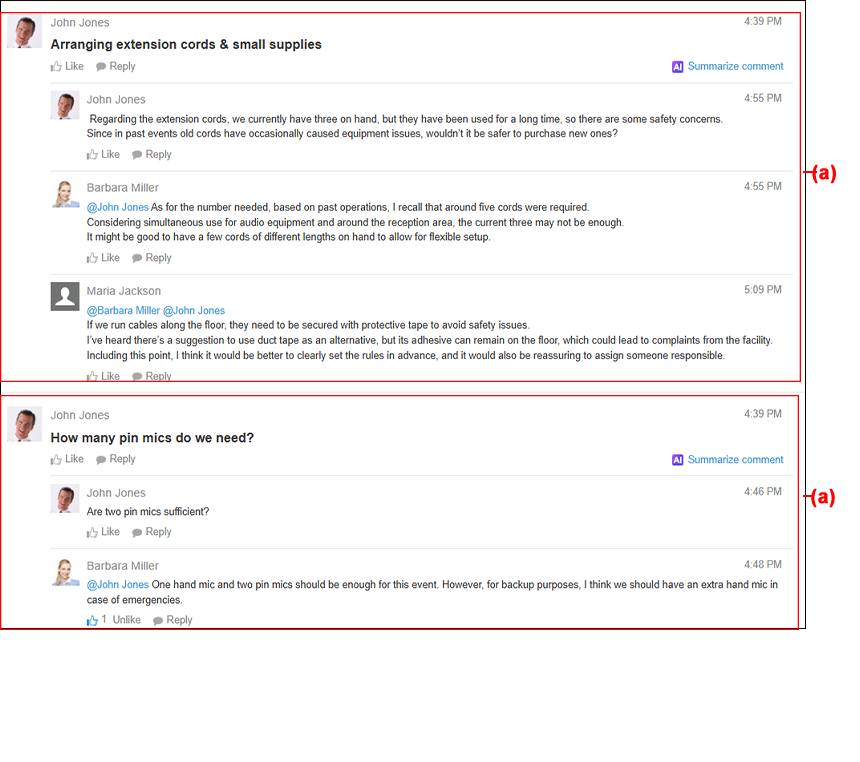
Each highlighted section marked "(a)" above shows a thread comment with its replies. You can summarize one comment and its replies at a time.
Steps
-
Open a thread.
-
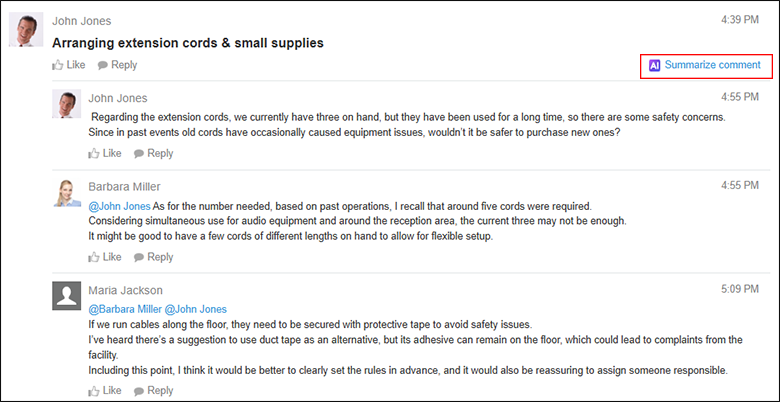
Click Summarize comment.
When you click Summarize comment, a summary will be generated immediately.
-
Check the generated summary.
If you want to copy the summary, click Copy answer.
Note that summaries are copied in Markdown format.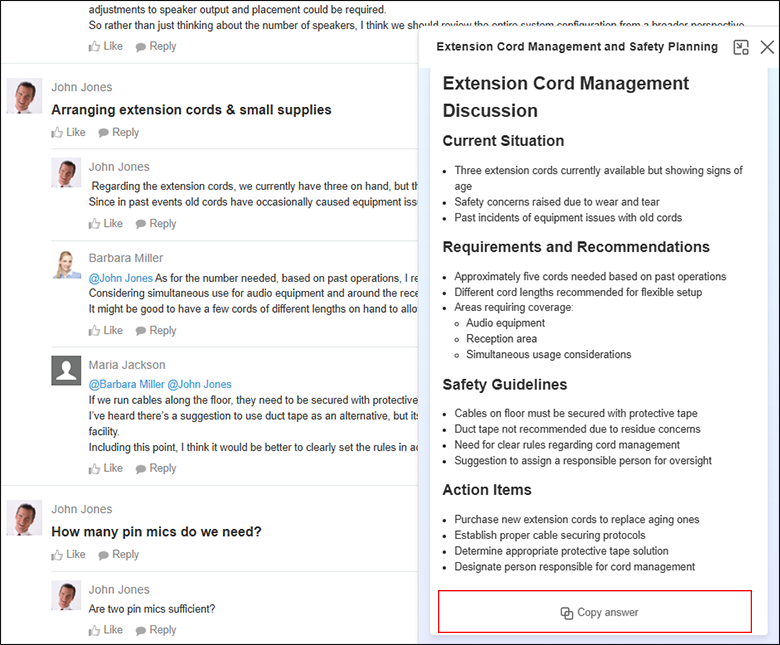
-
Click Close to close the summary.