
Changing AI Search chatbot settings
This article explains how to change the settings of an existing AI Search chatbot.
Steps
-
Click the Settings icon (the gear-shaped icon) at the top of Kintone, then click Kintone administration.
-
Clicking Kintone AI management in the AI section on the Kintone administration screen opens the Kintone AI management screen.
-
On the Kintone AI management screen, click Settings under AI Search in the AI features section.
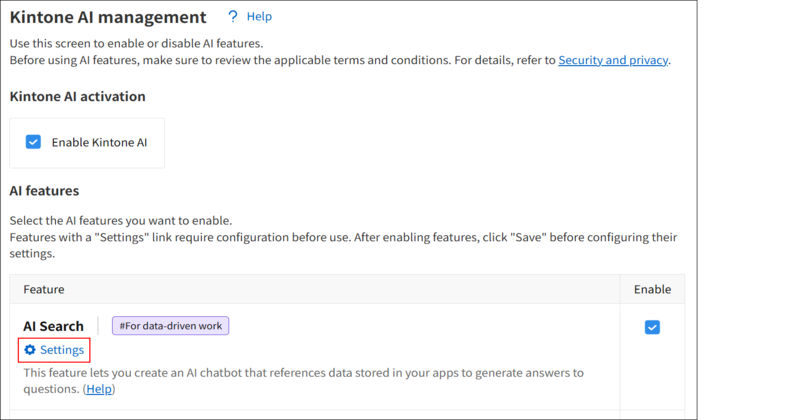
-
On the AI Search management screen, click Settings for the AI Search chatbot for which you want to change the settings.
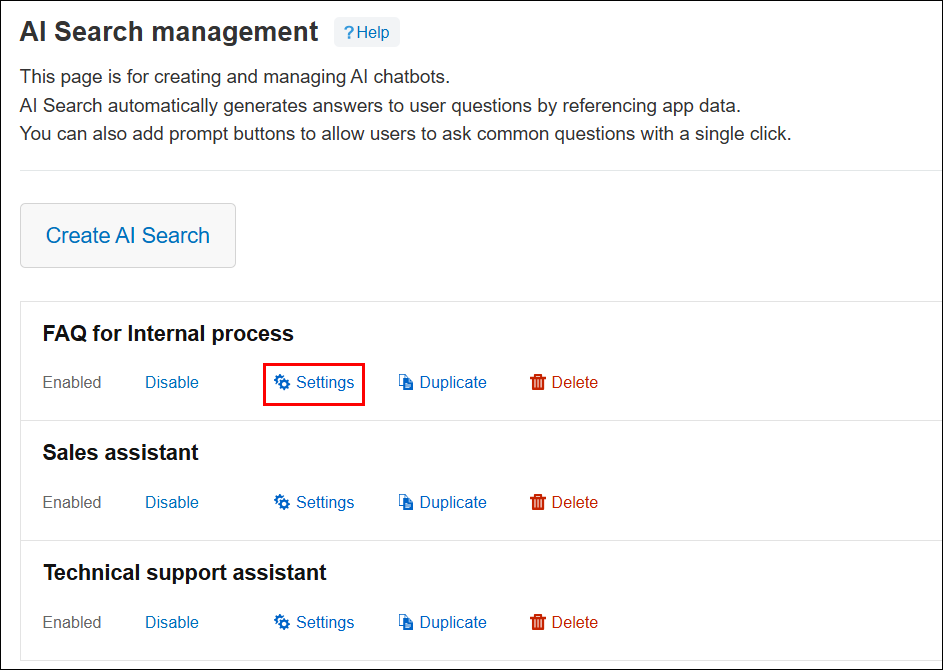
-
On the AI Search chatbot settings screen, change the settings as necessary.
-
Click Save.