How to check the number of apps
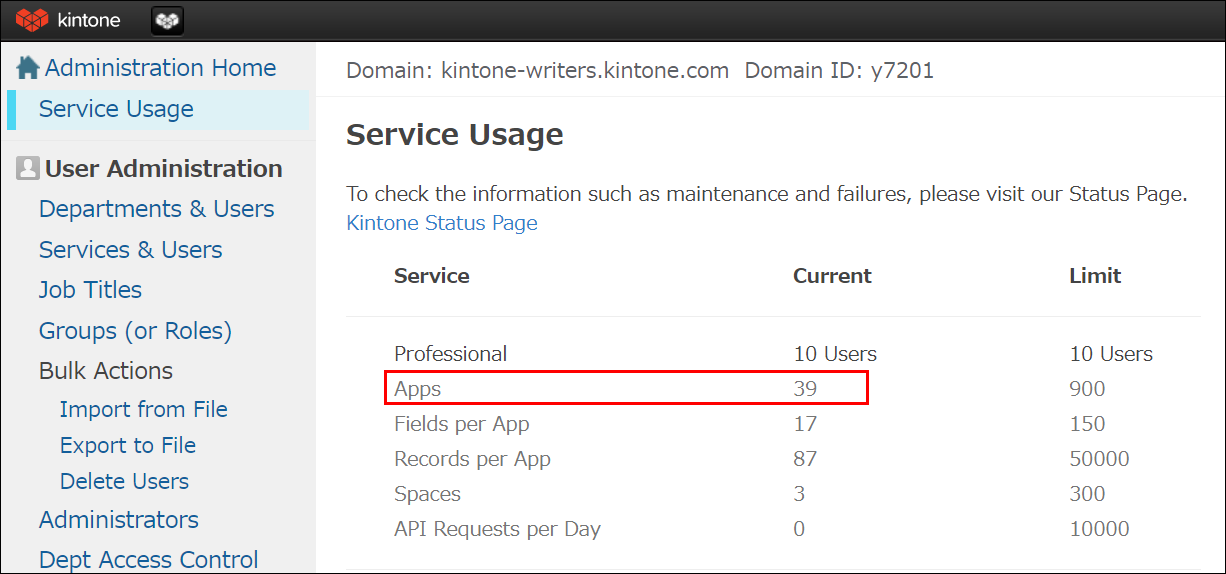
You can check the number of apps in your Kintone environment on the App management screen of Kintone or on the [Users & system administration] screen.
Note that the [Users & system administration] screen can only be accessed by Kintone users & system administrators.
Checking the number of apps on the App management screen in Kintone
-
Click the Settings icon (the gear-shaped icon) at the top of Kintone, then click App management.

-
Check the Apps under the Current usage section.
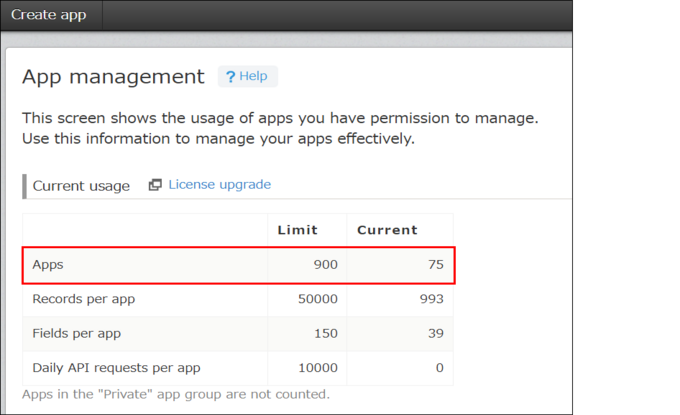
The Limit column displays the maximum number of apps that can be created in your environment. The Current column displays the sum of created apps and apps that are still being created but not yet activated.
Checking the number of apps on the "Users & system administration" screen
-
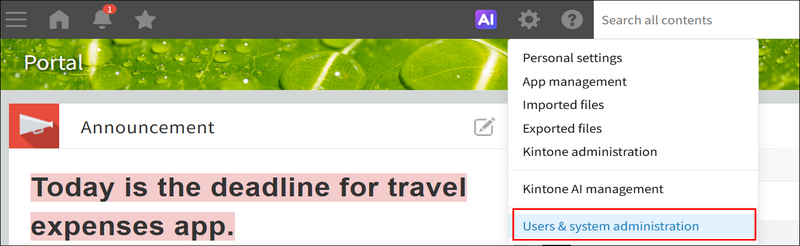
Click the Settings icon (the gear-shaped icon) at the top of Kintone, and click Users & system administration.
-
Check the Apps under the Service usage.