
The trial for a guest user has expired. Is it possible to start the trial again?
Yes, you can sign up for a free trial for a guest user again by performing the following actions.
Note that even if you sign up for the free trial again using the same e-mail address used for the previous trial, you will be regarded as a new guest user.
(1) Delete a guest user whose trial has expired
-
Write down the e-mail address of the guest user you want to delete.
-
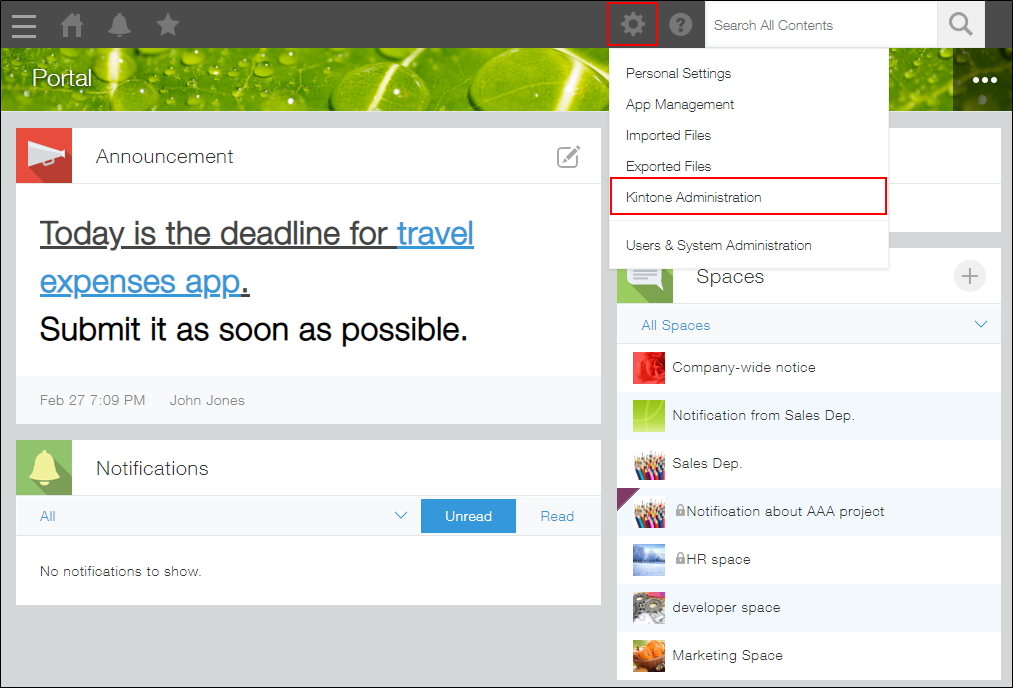
Click the Settings icon (the gear-shaped icon) at the top of Kintone, then select Kintone administration.
-
Open Guest management.
-
Click the Delete icon at the far right of the user you want to delete, then click Delete.
(2) Invite a guest user again
-
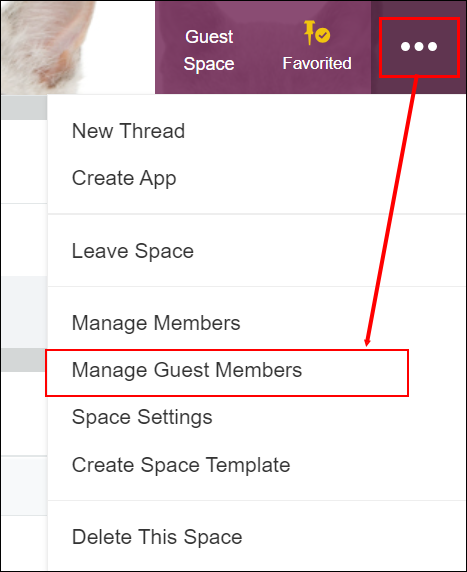
Click the Options icon at the upper right of the screen in the guest space to which you want to invite a guest user, then click Manage guest members.
-
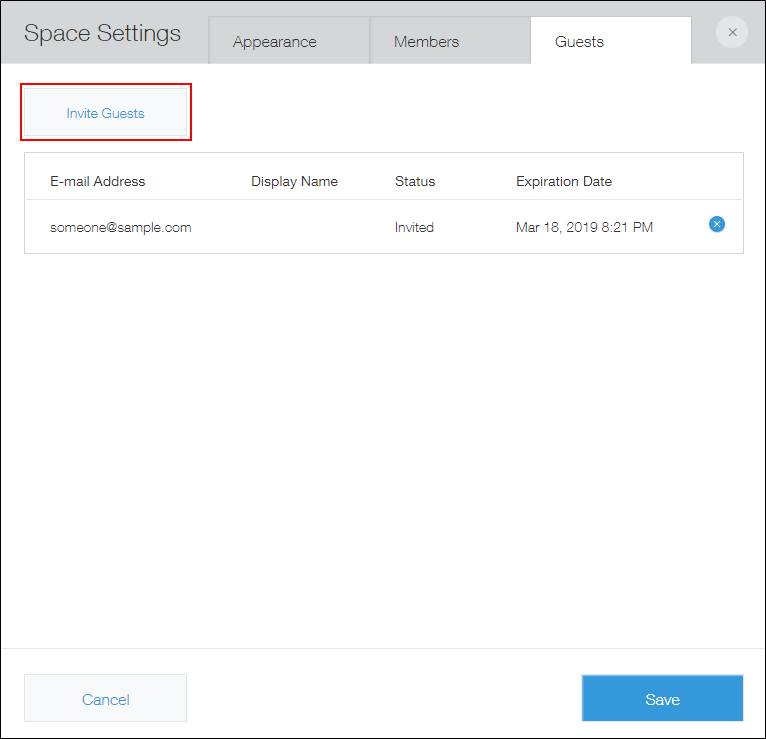
Click Invite Guests.
-
In the Guest e-mail addresses input field, enter the e-mail address you have written down in step 1 of "(1) Delete a guest whose trial period has expired."
It is also possible to specify a different e-mail address. -
Enter a comment in the Message input field and click Send.
The invitation e-mail is sent to the guest user whose e-mail address is specified in the Guest e-mail addresses input field.