Where can I find the number of spaces / guest spaces?
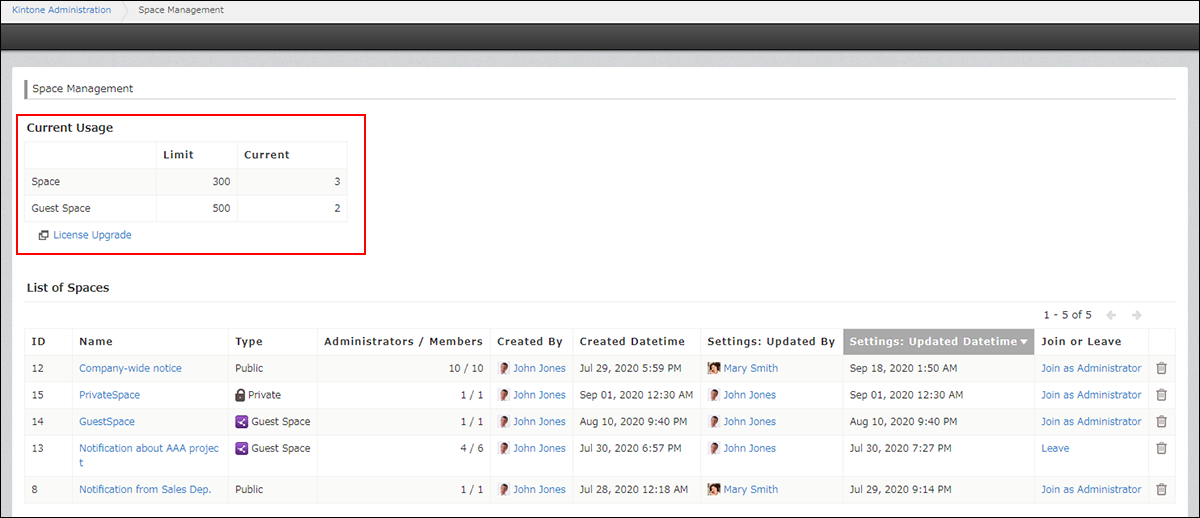
You can check the number of spaces and guest spaces in your Kintone environment on the Space management screen in Kintone administration.
On the Space management screen in Kintone administration, you can check the number of spaces and guest spaces in your environment, as well as the name and type of each space.
Checking space information from the "Kintone administration" screen
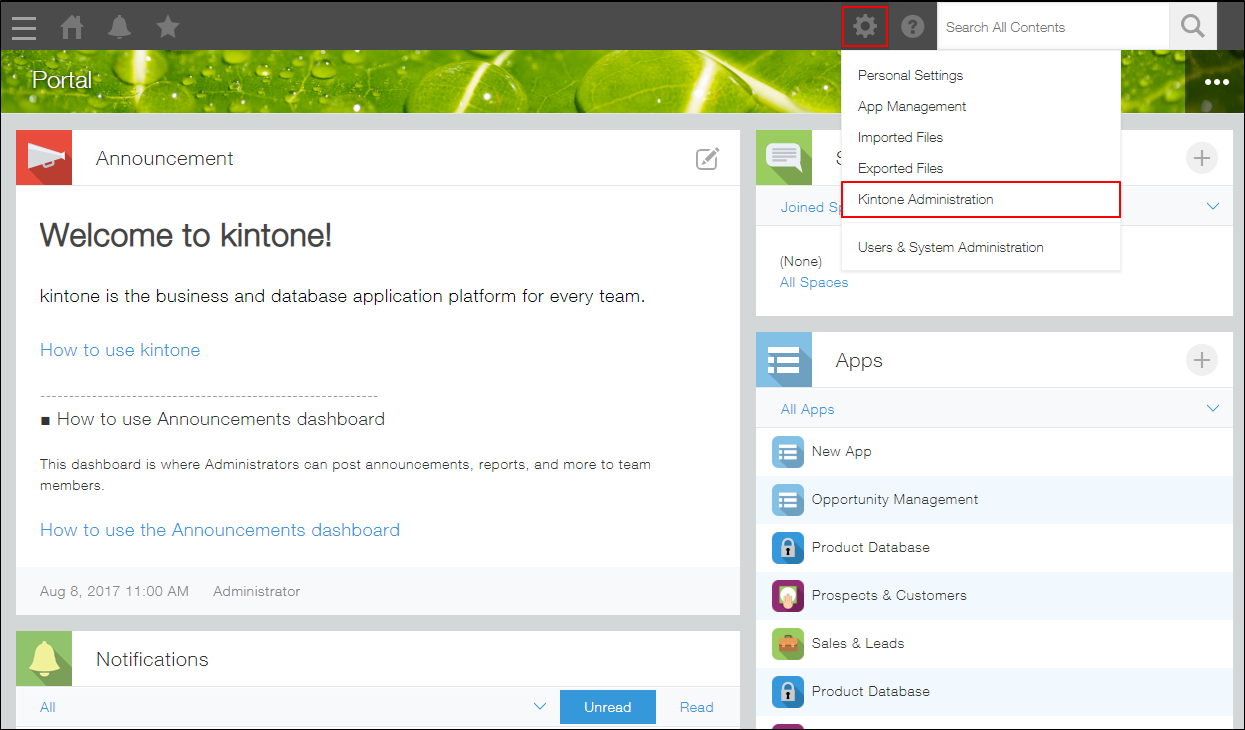
Click the Settings icon (the gear-shaped icon) at the top of Kintone, then click Kintone administration.
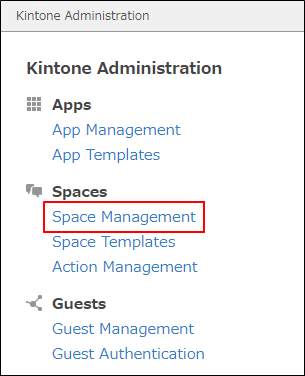
Click Space management.
You can find the number of spaces and guest spaces being used under Current usage.