Is it possible to display a table in a view?
You cannot keep fields of a table displayed on the View screen.
However, you can display the content of the table by clicking the Show button.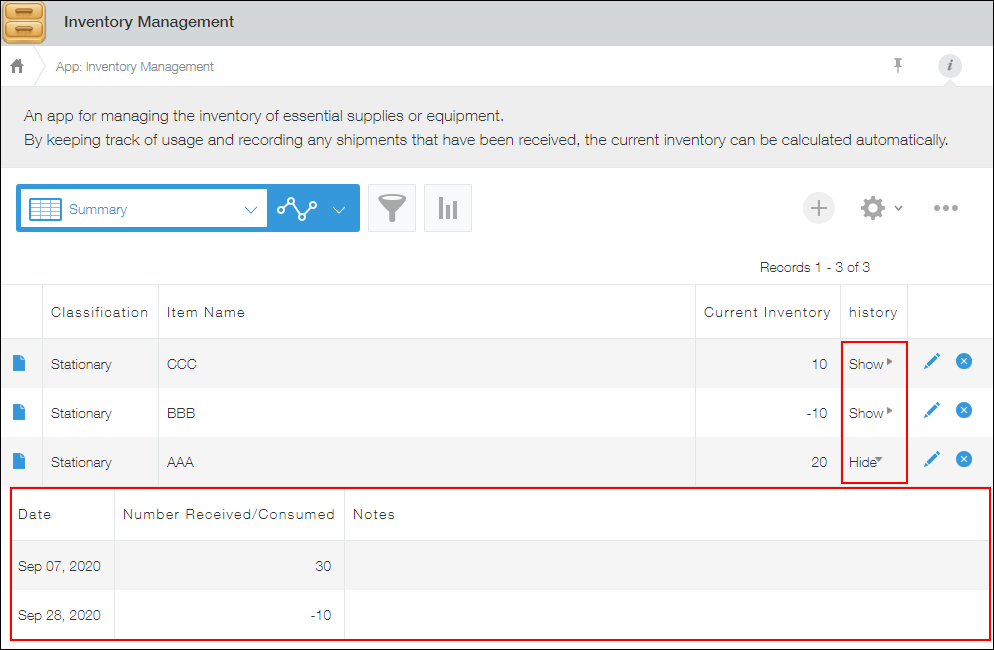
If you click Hide for the record or Show for a different record, the displayed content is hidden.
You cannot display the content of the table of multiple records at once.
To display a table on the View screen, you need to configure the following settings.
Displaying a table in a view
-
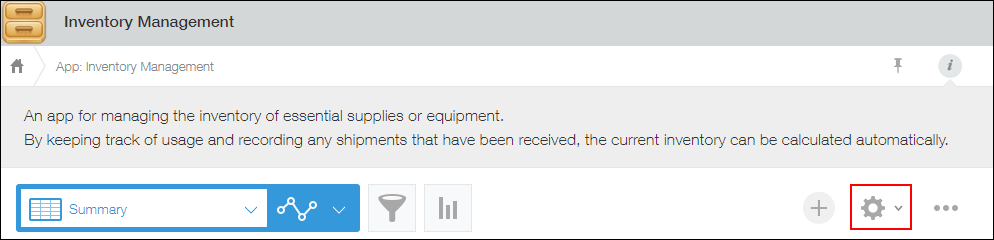
Click the App settings icon (the gear-shaped icon) at the upper right of the View screen.
-
Open the Views tab and click the Add new view icon (the plus sign-shaped icon at the right of the screen).
If you want to add a table to an existing view, click Edit for that view.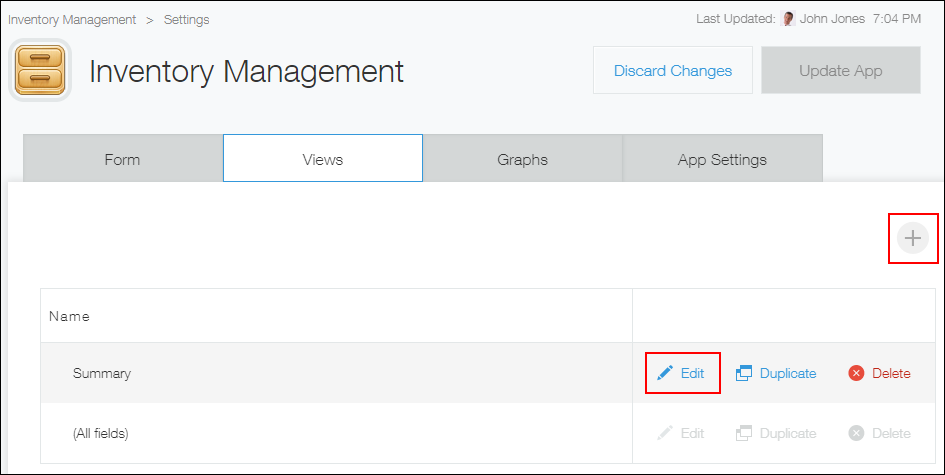
-
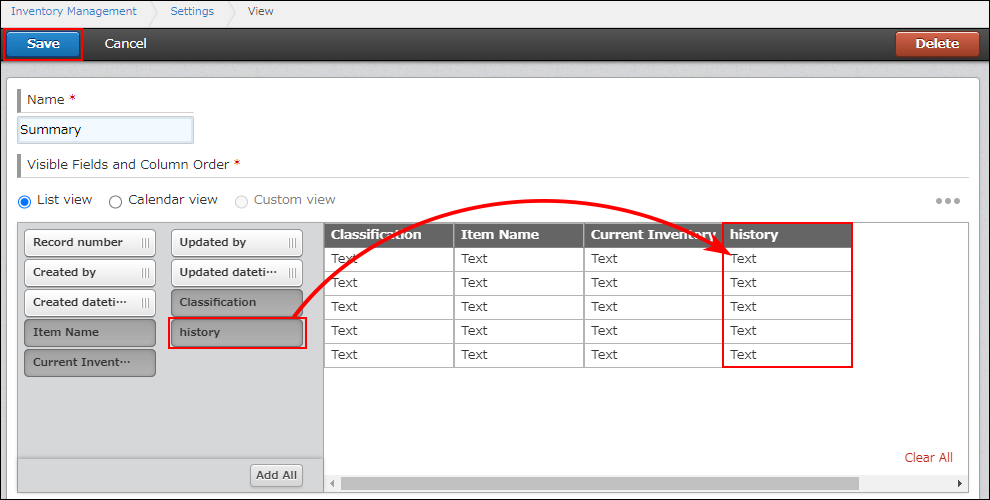
Add a table to the view and save.
In this example, the "History" table is added.