
Key updates for December 2026
This article describes the features and enhancements that will be released in the December 14 update.
| Process management | "Assignee instructions" can now be viewed in the mobile view |
|---|---|
| Performance | Improved response times for some features |
| Development platform | Front-end update ("Create a kintone app from an Excel/CSV file" screens) |
| Changes to update options |
|---|
The contents of this update are current as of the date of publication and are subject to change.
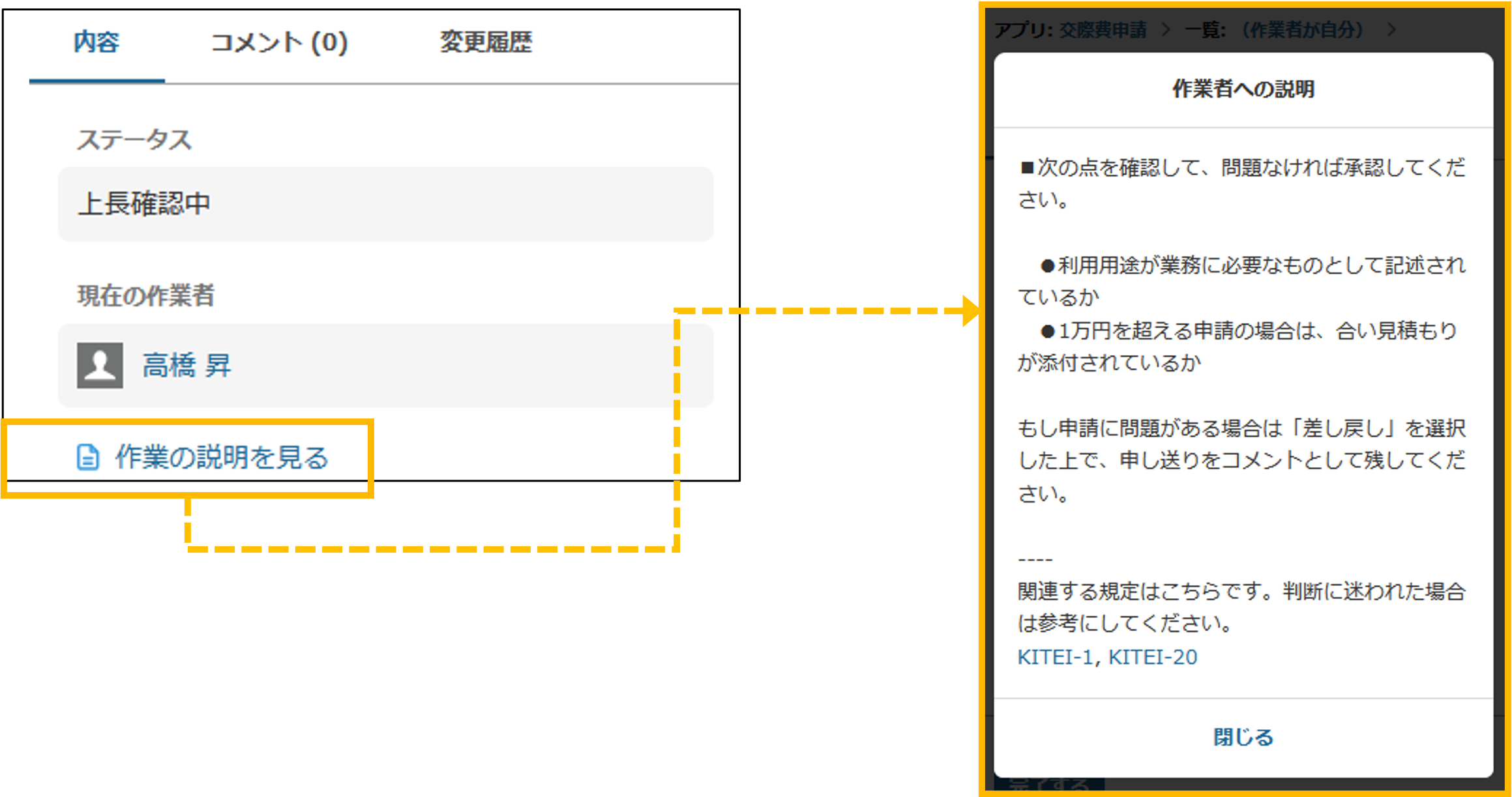
Process management"Assignee instructions" can now be viewed in the mobile view
"Assignee instructions" in process management, which was added in the November 2026 update, can now also be viewed in the mobile view.
When app administrators enter information such as the steps to follow at each status or points to check when approving in "Assignee instructions", users who access Kintone where they can't use a PC, such as when they're out of the office, can also see the information they need for their work.
PerformanceImproved response times for some features
■ Improved performance when filtering records (implemented in July 2026)
We've reviewed how Kintone extracts data internally and improved the performance of retrieving records. Response times are now shorter when you retrieve records using filter conditions that combine "Multi-choice" fields. As a result, the "View" screen loads faster in apps with a large number of records, and REST API response times are shorter.
■ Improved performance of app searches in the search box and app selection screens (implemented in July 2026)
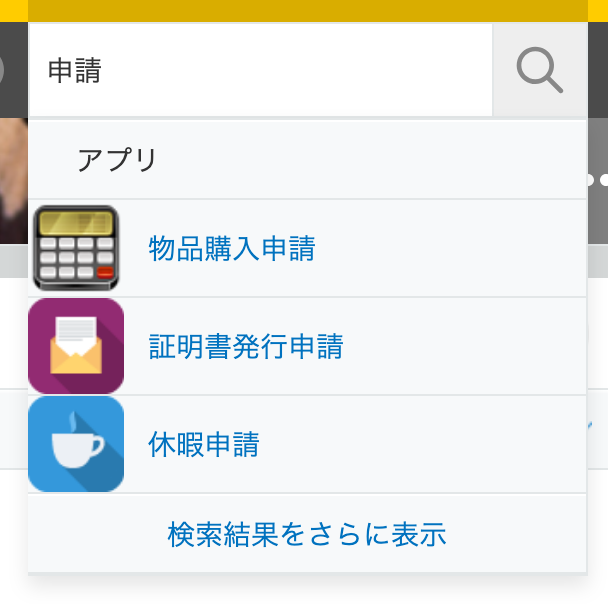
We've improved how Kintone searches app information internally to speed up app searches. Response times are now shorter when you search for apps from the search box or search for a datasource app while configuring a "Lookup" field. In environments with many apps in use, you can find the app you're looking for more quickly.
Development platformFront-end update ("Create a kintone app from an Excel/CSV file" screens)
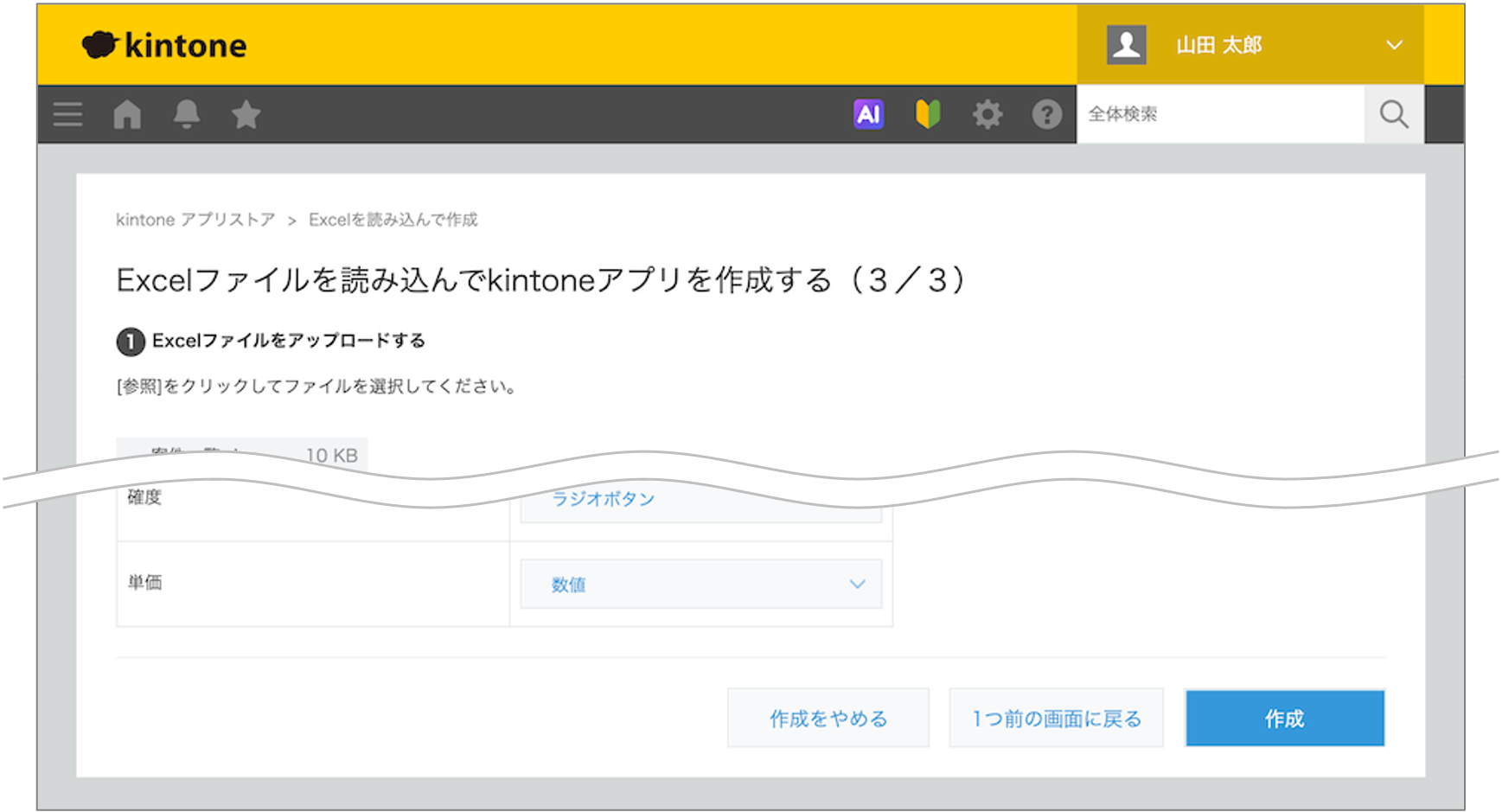
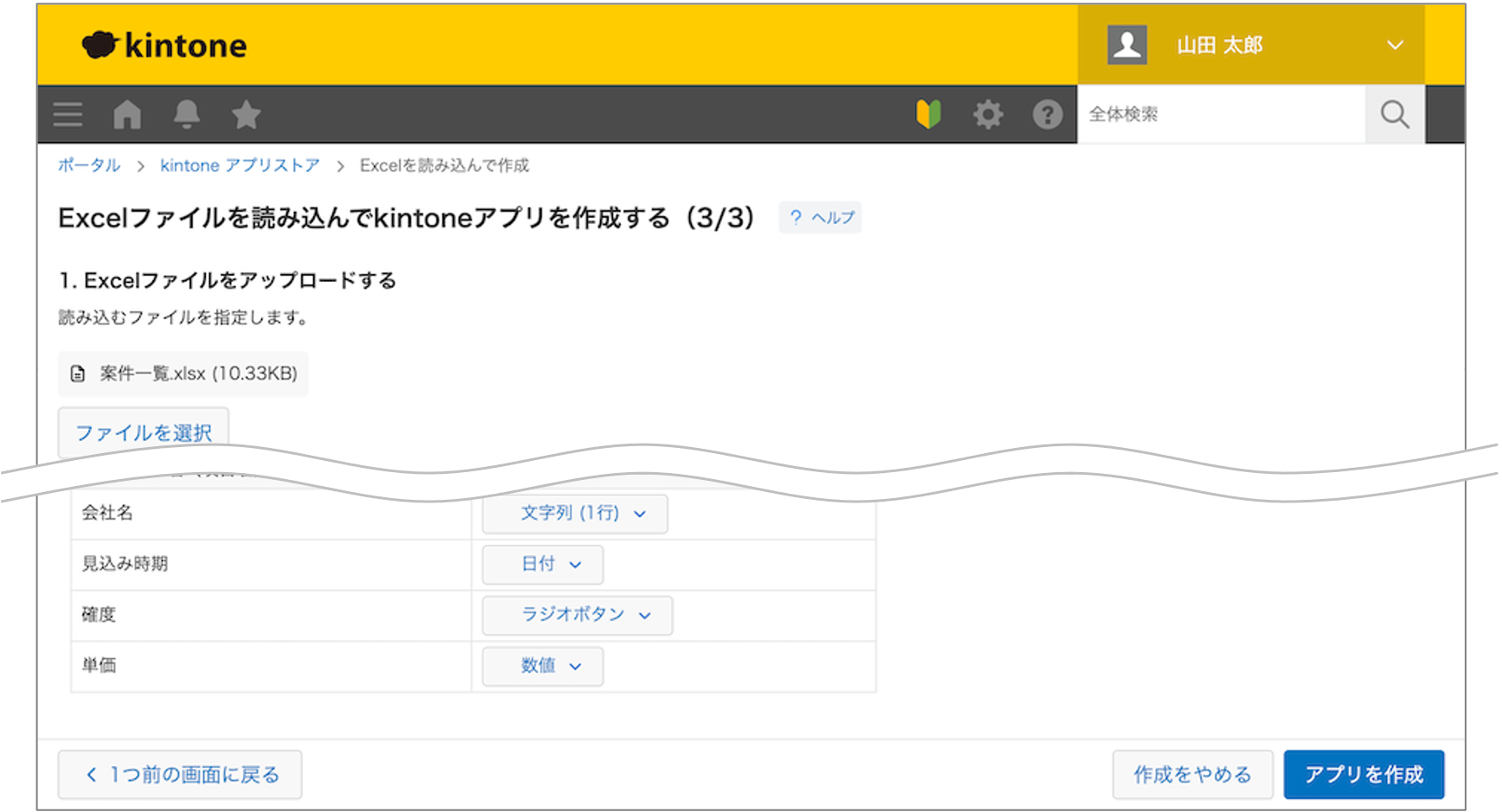
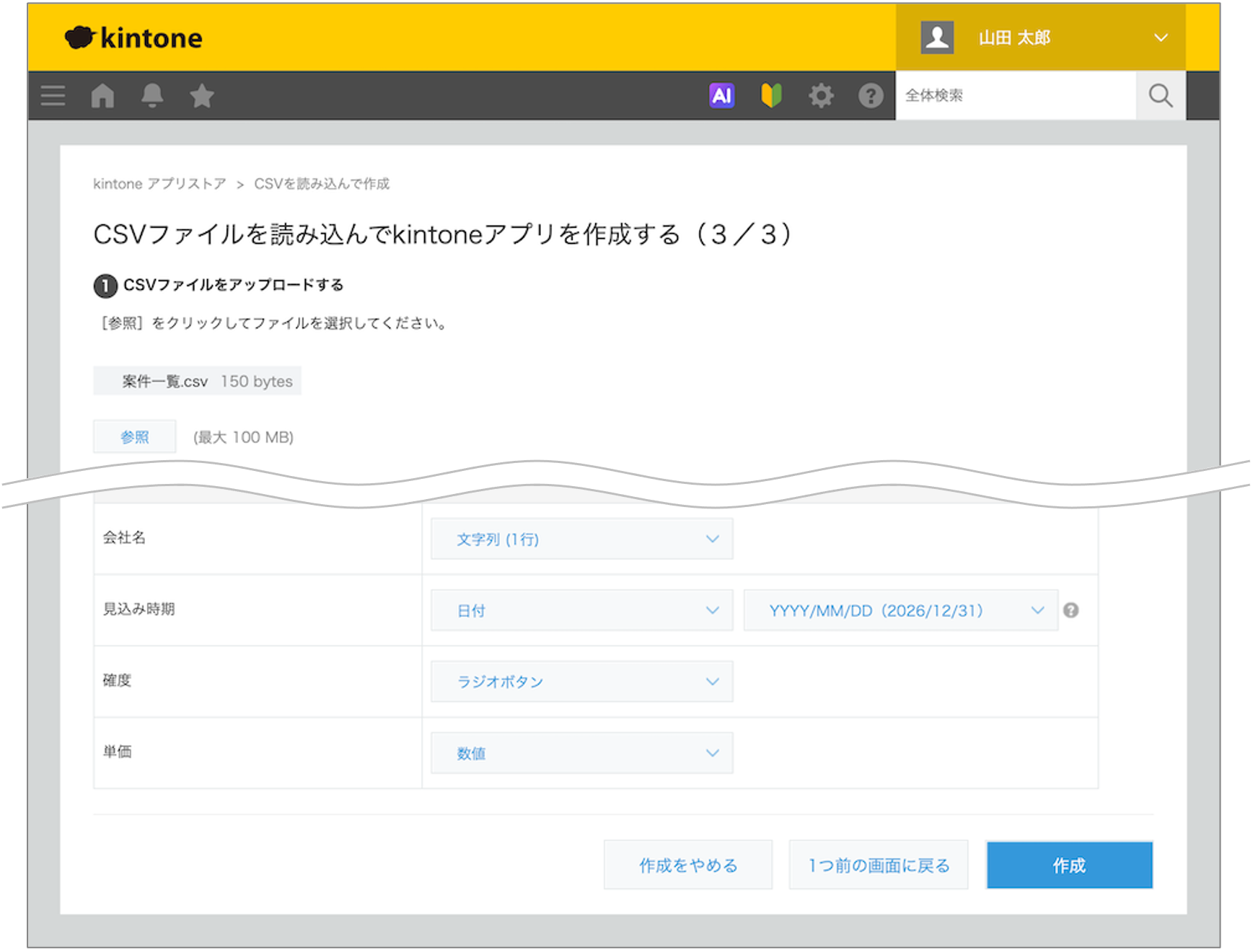
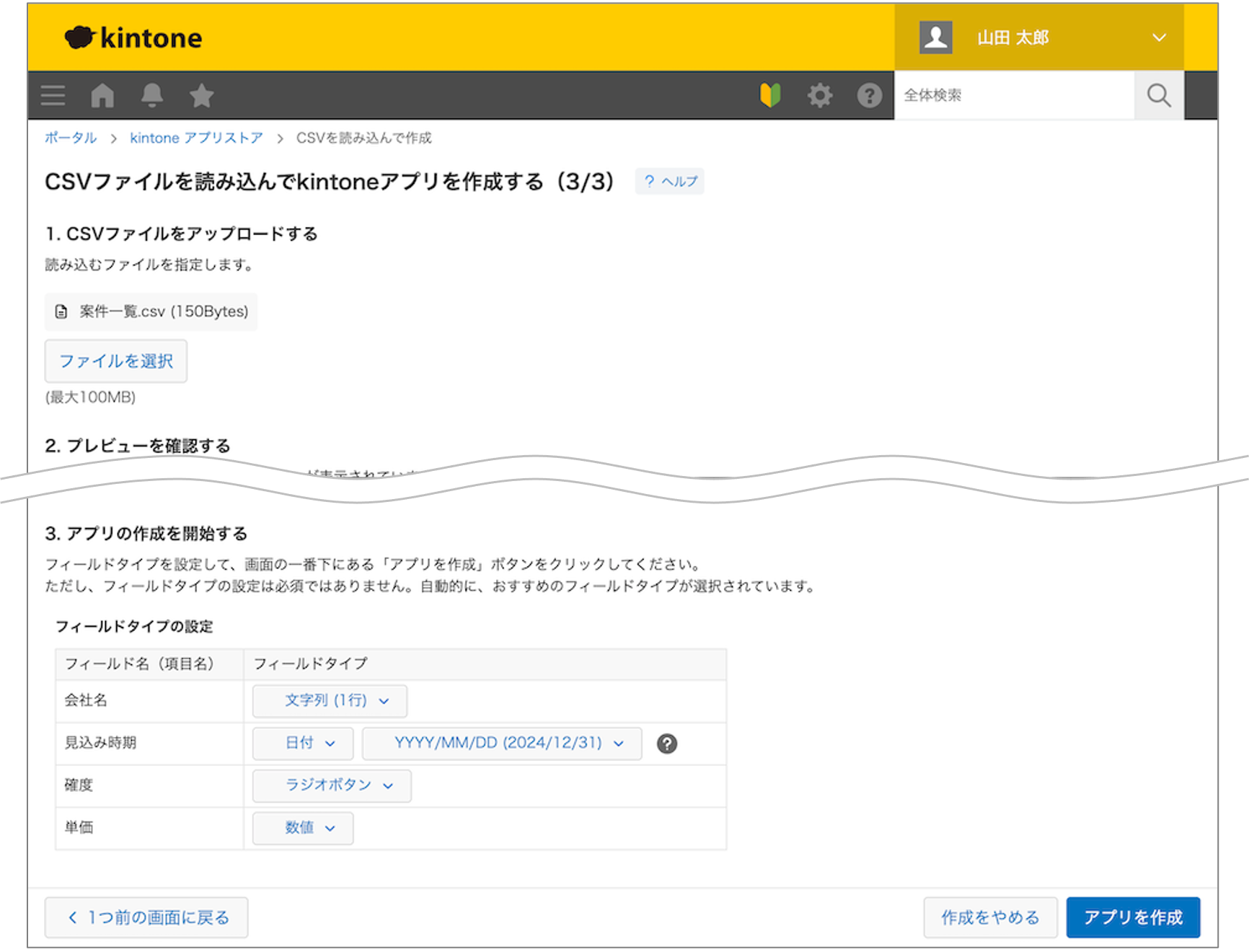
To speed up future product improvements, the Kintone development team has been updating the front-end technology that has been used since Kintone was first released, one screen at a time. In this update, we've updated the front end of the "Create a Kintone app from an Excel file" and "Create a Kintone app from a CSV file" screens in the Kintone marketplace. Along with this, we've made changes such as standardizing screen components and making layouts more compact.
■ "Create a kintone app from an Excel file" screen
■ "Create a kintone app from a CSV file" screen
Changes to update options
| Disable new features | ||
|---|---|---|
No change Disable "Use AI in the mobile app to organize spoken input into the appropriate fields (Available in Kintone AI)" | Can be disabled until the February 2027 scheduled update. | |
No change Specify apps and spaces to include in or exclude from searches | ||
No change Additional options for filter conditions on the "App management" screen | ||
No change Front-end update for the "App settings" screen | ||
No change Open the "App settings review" screen from the "Kintone AI management" screen | ||
No change JavaScript API for showing/hiding the "Add row" and "Delete this row" buttons in "Table" fields and retrieving their display state | ||
No change Switch between the classic and new "Notifications" screens | ||
No change Visualize how long records spend in each status based on process history | ||
No change Set "Assignee instructions" for each status in Process Management | ||
No change REST API for searching across Kintone | ||
New View "Assignee instructions" on the "Record details" screen in the mobile view | Can be disabled until the May 2027 scheduled update. | |
New Front-end updates to the "Create from Excel" app creation screens and changes to import error handling | ||
New Front-end updates to the "Create from CSV" app creation screens and changes to import error handling | ||
| Preview upcoming new features | ||
None | ||
| New features under consideration | No change Improved Kintone administration design ("Header color" screen design and layout change) | |
No longer available Front-end updates to "Create from Excel" app creation screens and changed import error handling | ||
No change Ability to find apps with AI (Available in Kintone AI) | ||
No change Front-end update for the "Portal" screen (desktop and mobile views) | ||
No change Front-end update for space and thread screens (desktop and mobile views) | ||
No longer available Front-end updates to "Create from CSV" app creation screens and changed import error handling | ||
No change Front-end update for People pages and the "Messages" screen (desktop and mobile views) | ||
No change Front-end updates to the "Exported files" screen | ||
No change Front-end updates to the "Export aggregation result to file" screen | ||
No change Front-end updates to the "Export to file" screen | ||
No change JavaScript API for Generating Text with AI (Available in Kintone AI) | ||
No change JavaScript APIs for assigning IDs to table rows, triggering events on table operations, and manipulating tables | ||
Note that these features may be modified outside of scheduled updates. Check the "Update options" screen for the latest status of each feature. | ||
For details on how update options work and on the features currently available, refer to the following Help pages.