
Key updates for September 2026
Here's what's included in the update on September 14.
| New features under consideration |
|---|
| Changes to update options |
|---|
The contents of this update are current as of the date of publication and are subject to change.
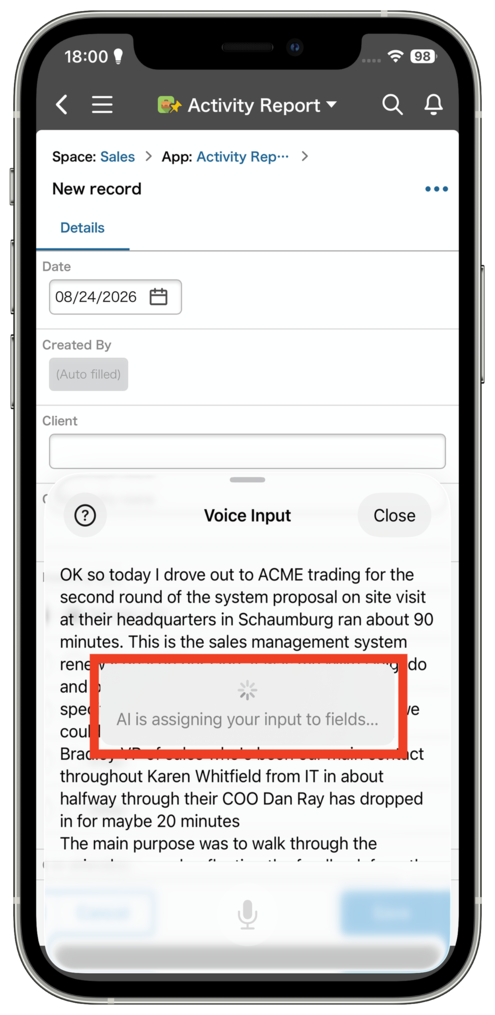
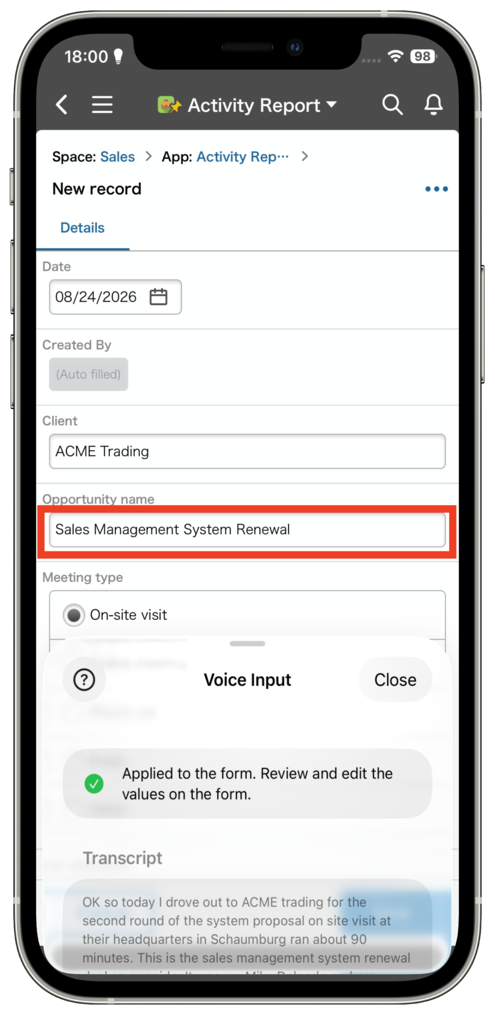
AI featuresAI Voice Data Entry: Record your voice in the mobile app (iOS), and AI will transcribe it and automatically fill in the relevant fields of a record.
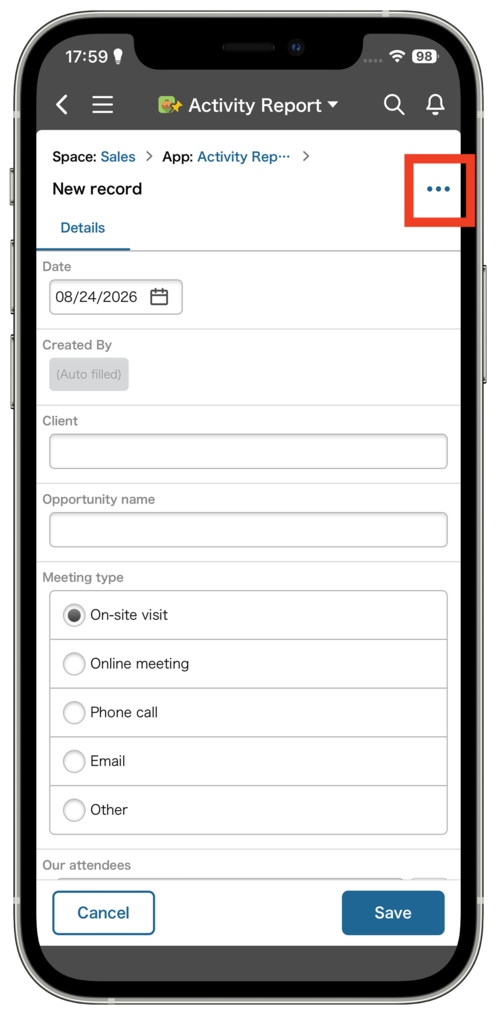
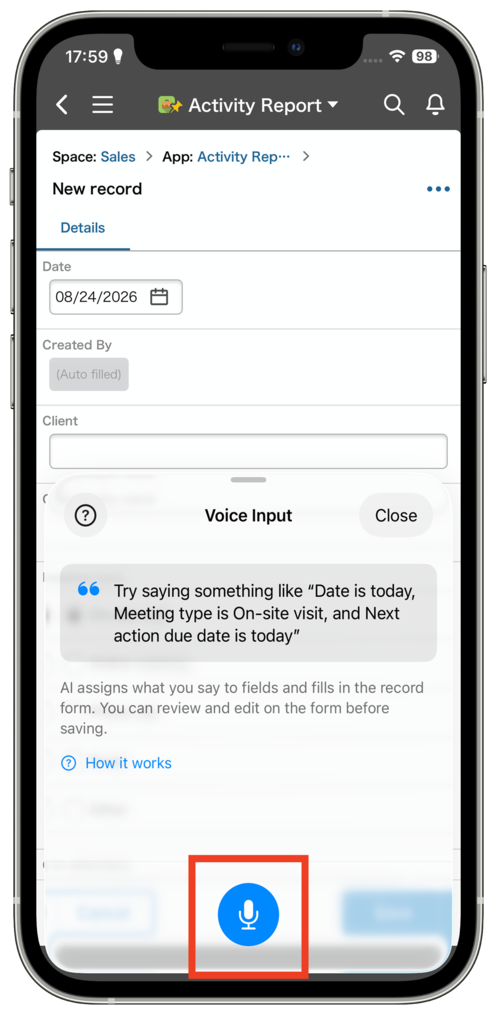
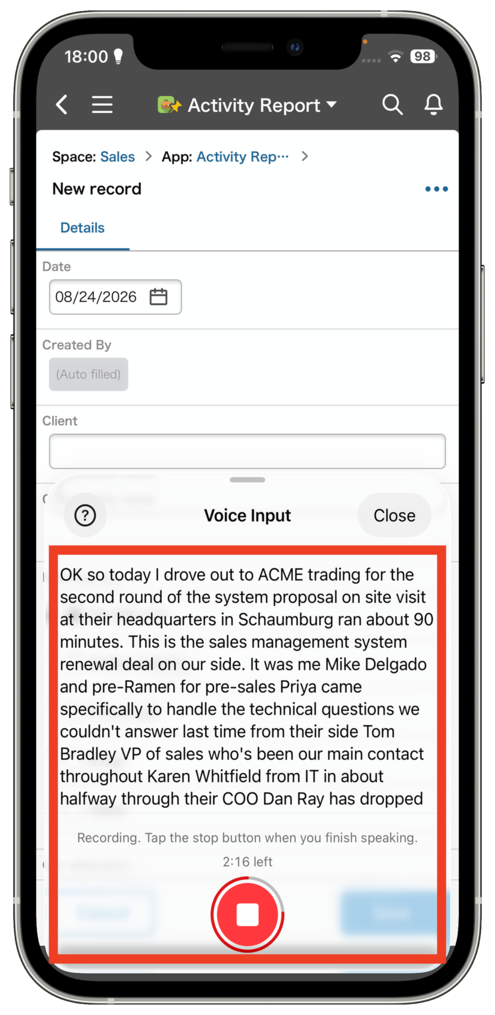
AI Voice Input for Records is now available in the Kintone mobile app for iOS. Just say everything you want to record in one go, and AI works out which fields the information belongs in and reshapes it to fit the format of each one. There's no need to select fields one at a time — you can speak freely and enter a record with very little effort.
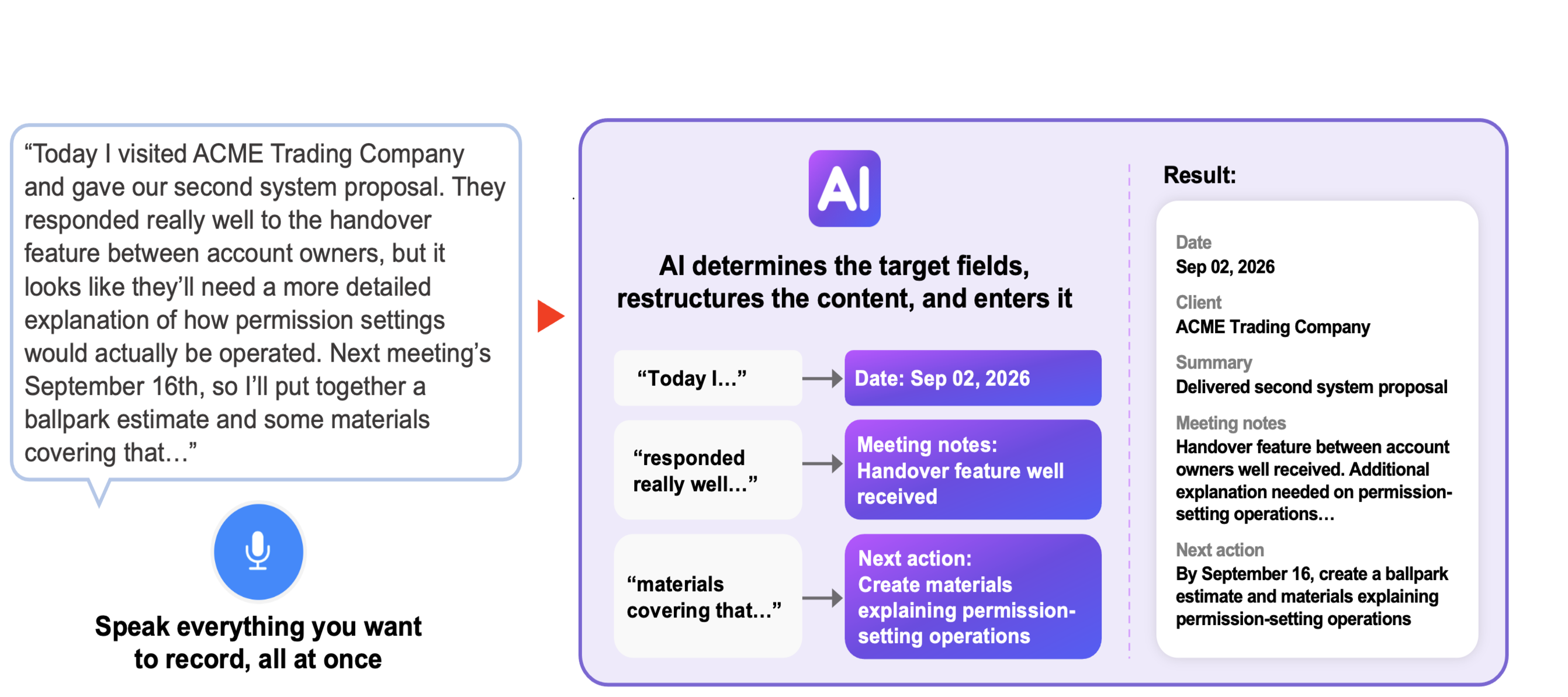
You can use this feature to record a sales meeting report while out of the office, or log inspection results in the field — no need to select and fill in fields one by one.
Now it's easier to quickly record information, whether you're working on-site or on the go.

SearchAll-contents search can now include or exclude specific apps and spaces
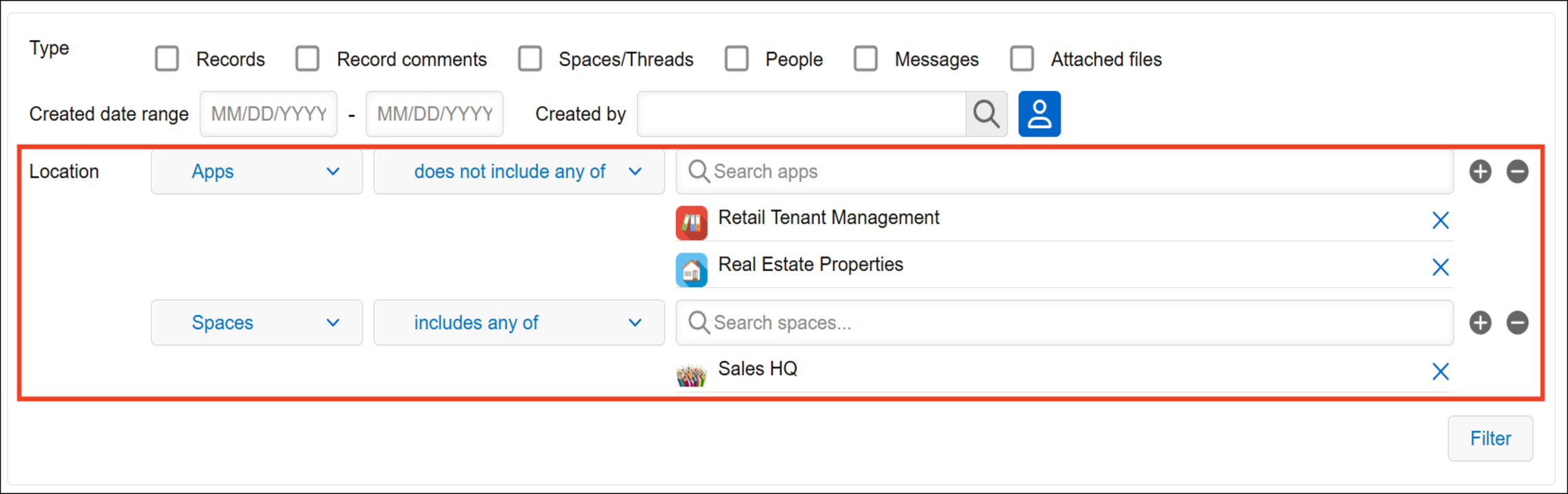
In the filter section for all-contents search, you can now include or exclude specific apps and spaces from your search. For example, you can search only the apps and spaces you use for work to find all the information you need about a project. If one app is returning too many results and you know the information you’re looking for isn’t there, you can simply exclude it from your search.
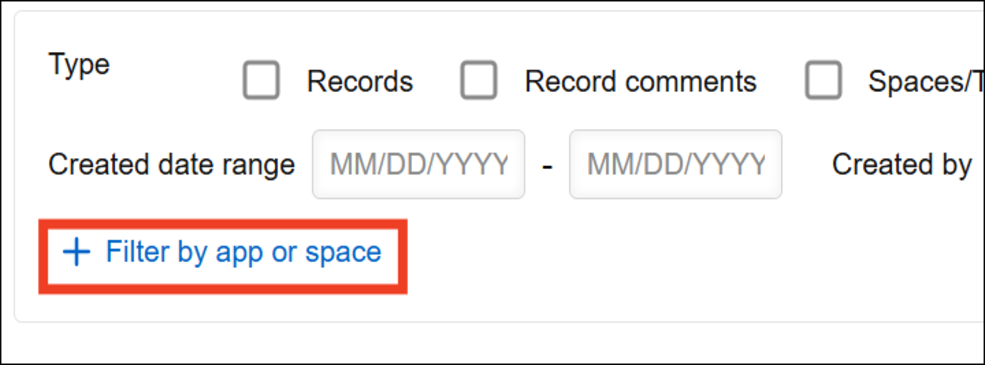
To add conditions, click "Filter by app or space" in the "Filter" section of the all-contents search screen.
You can add multiple apps and spaces and choose whether to include or exclude them from your search.
App managementMore filter conditions are now available for the app list on the "App management" screen
We've added 11 new filter conditions to the app list on the "App management" screen. You can now filter apps by "API tokens", "Webhooks", "App group", "Created by", and more. For example, you can filter for apps with API tokens or webhooks configured to check their external integrations, or filter by a specific app group or creator to find apps that need to be reviewed.
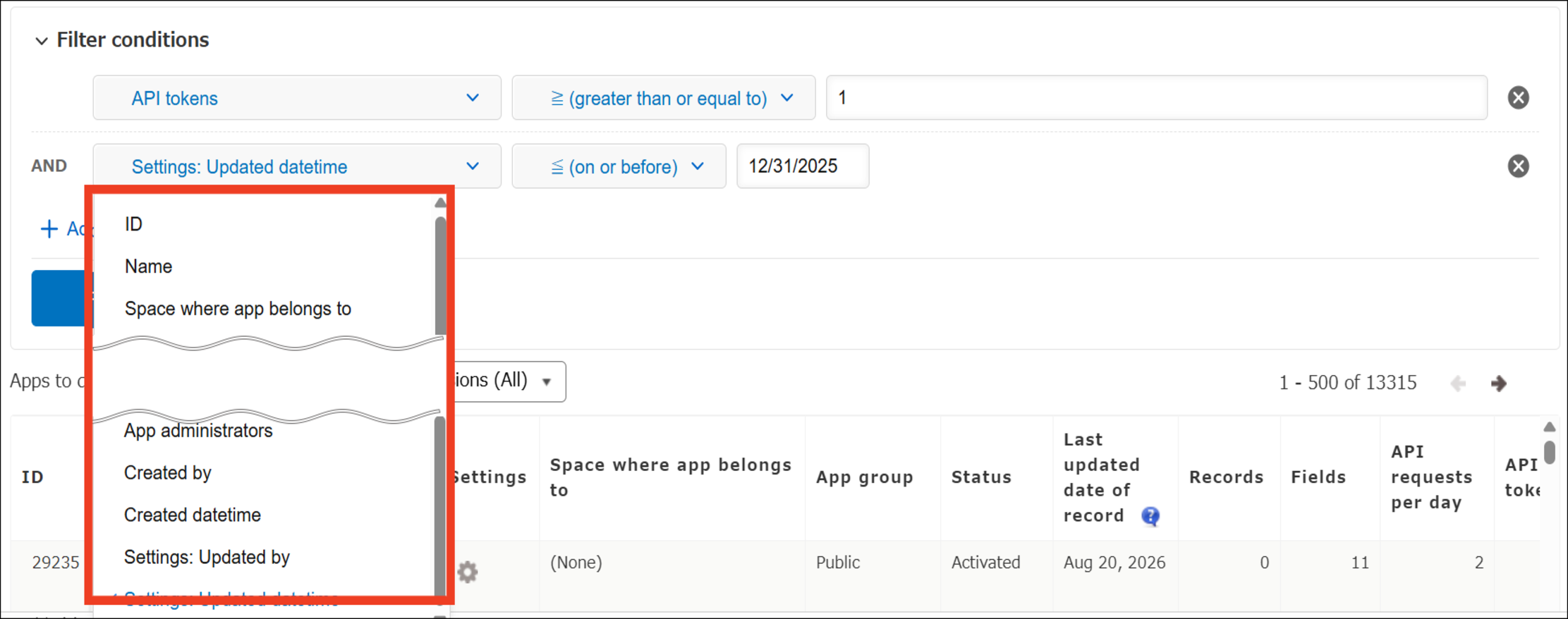
11 new columns from the app list can now be used as filter conditions.
The following filter conditions were added in the September 2026 update:
ID / App group / Fields / API requests per day / API tokens / Webhooks / Attachments / Guest users with access / Creator / Created date and time / Last updated by
PlatformFront-end infrastructure renewed for the "App settings" screen
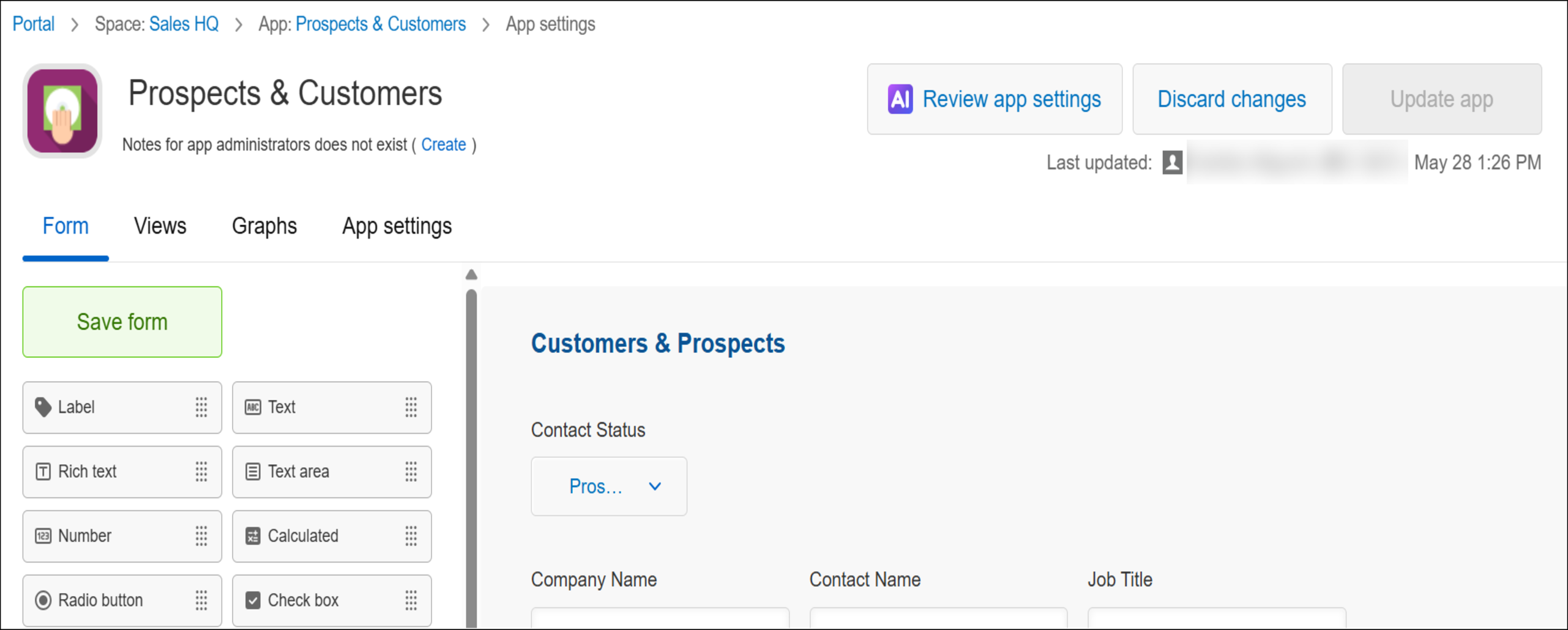
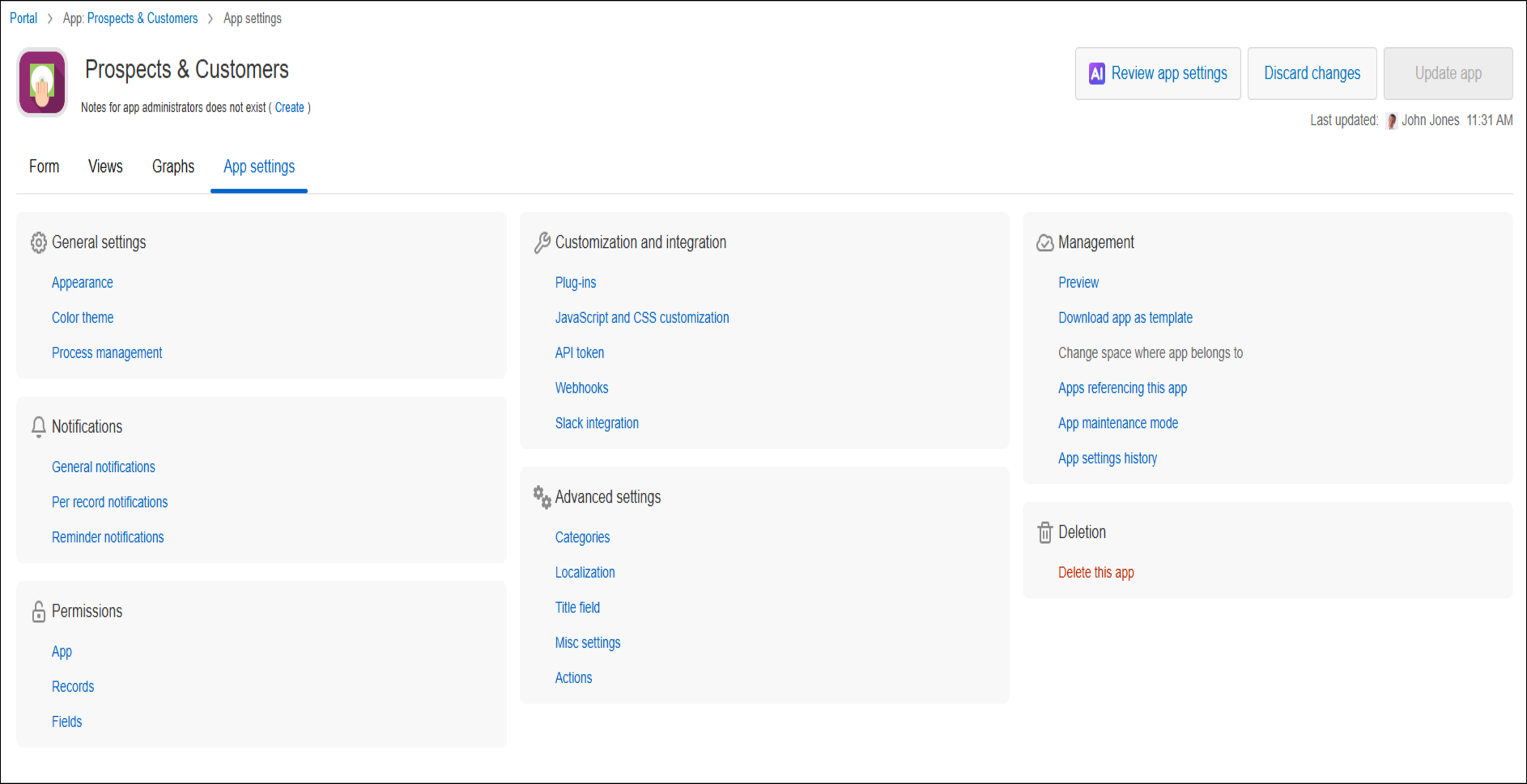
To speed up product improvements going forward, the Kintone development team is progressively renewing the front-end technology infrastructure that's been in use since Kintone first launched, screen by screen. This time, the front-end infrastructure has been renewed for the top page of the App settings screen, and the layout and components of that page — including the Form, View, Chart, and Settings tabs — have changed along with it.
■ The "App settings" screen with the "Form" tab selected
Before
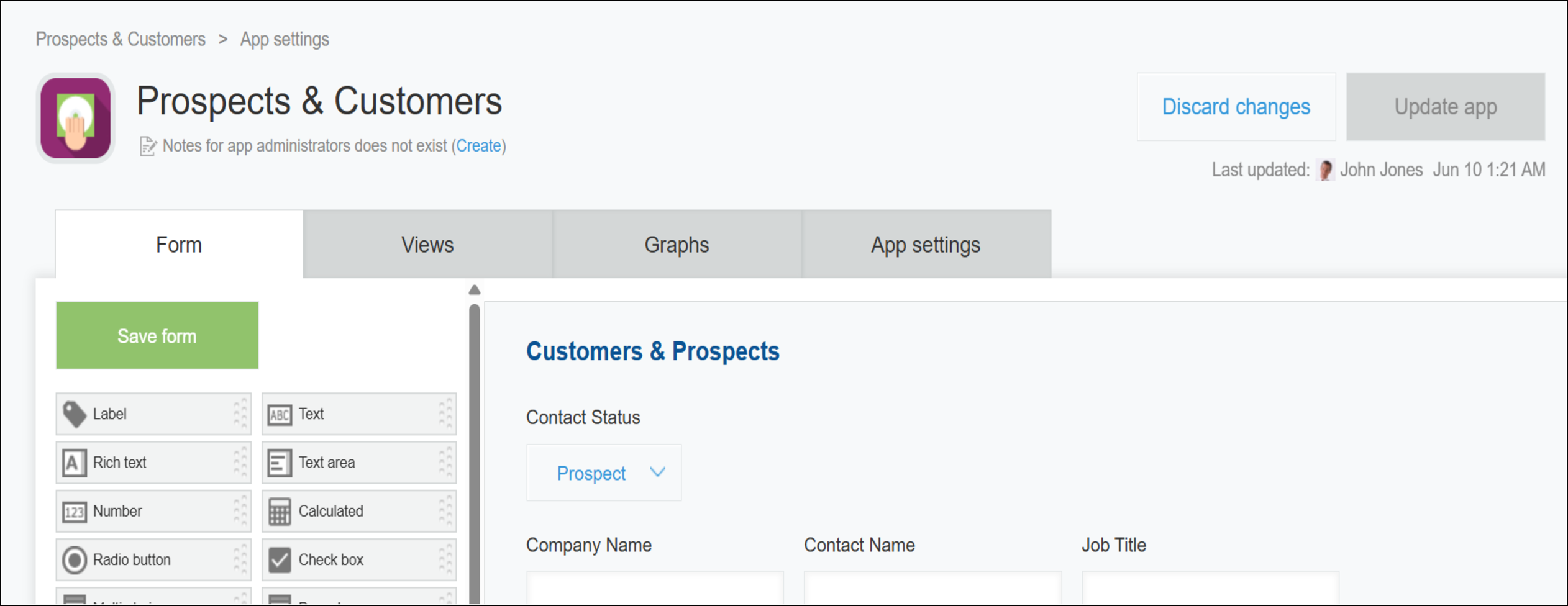
After
■ The "App settings" screen with the "App settings" tab selected
Before
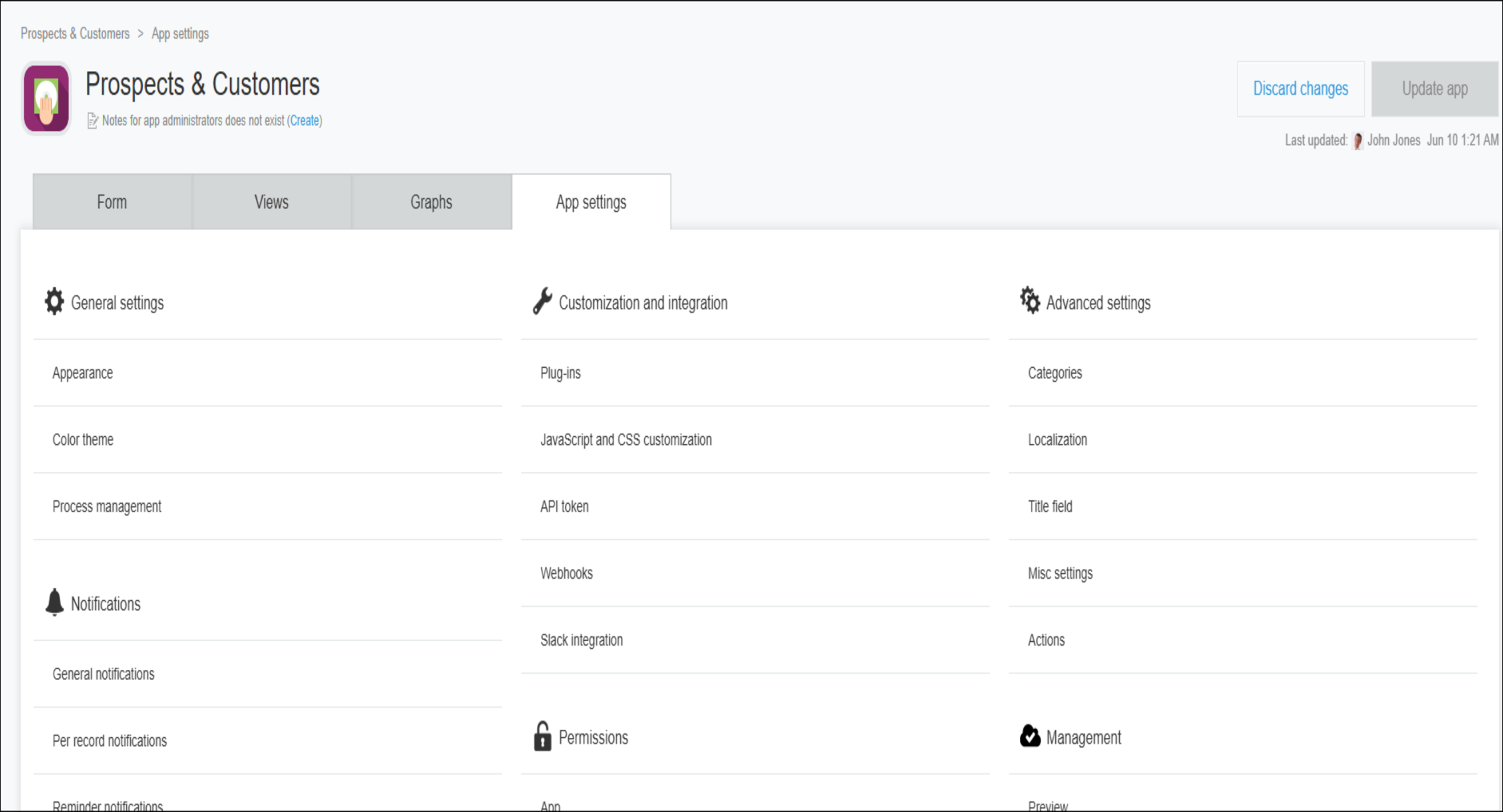
After
OtherOther updates, improvements, and fixes
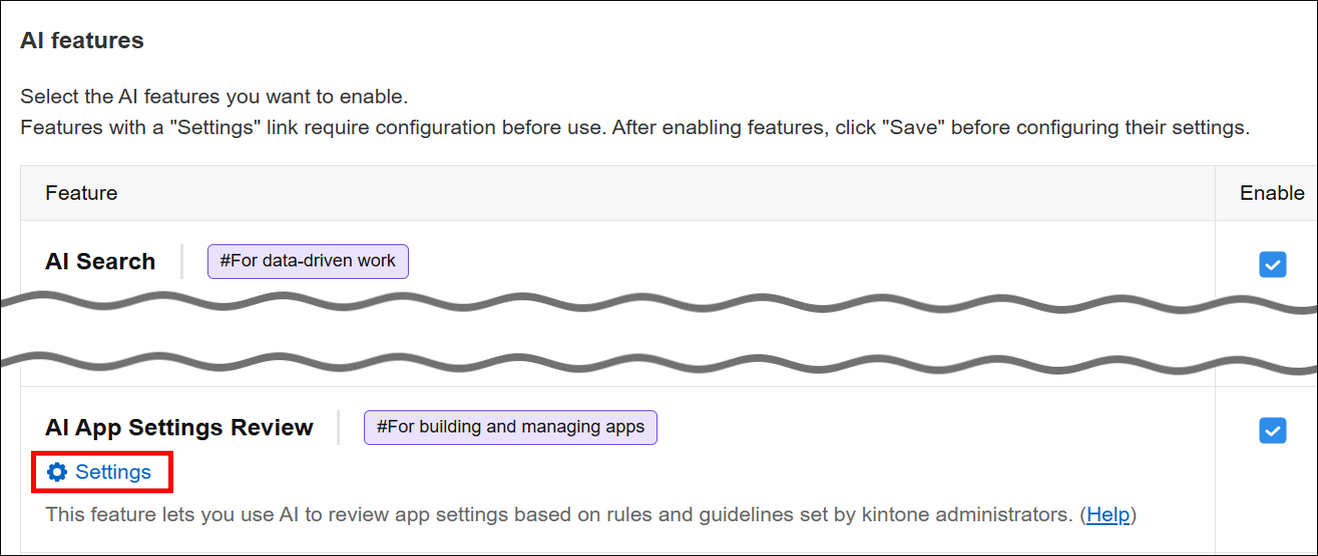
■You can now jump to the AI App Settings Review settings from the Kintone AI administration screen
You can now open the settings related to AI App Settings Review (App settings review on the system administration screen) directly from the Kintone AI administration screen.
New features under consideration
Here are the features we're currently considering.
You can try them out by enabling them on the Update options screen in Kintone administration.
Send us your feedback on features under consideration through the [Help us improve Kintone] form.
| Process analysis | Use your process history to visualize how long records stay in each status |
|---|---|
| Platform | Front-end infrastructure renewed for the "Export to file" screen |
* Note that features under consideration may have their specifications changed, or be added to or removed from the "Update options" screen, at any time — not only during regular maintenance.
Process analysisUse your process history to visualize how long records stay in each status
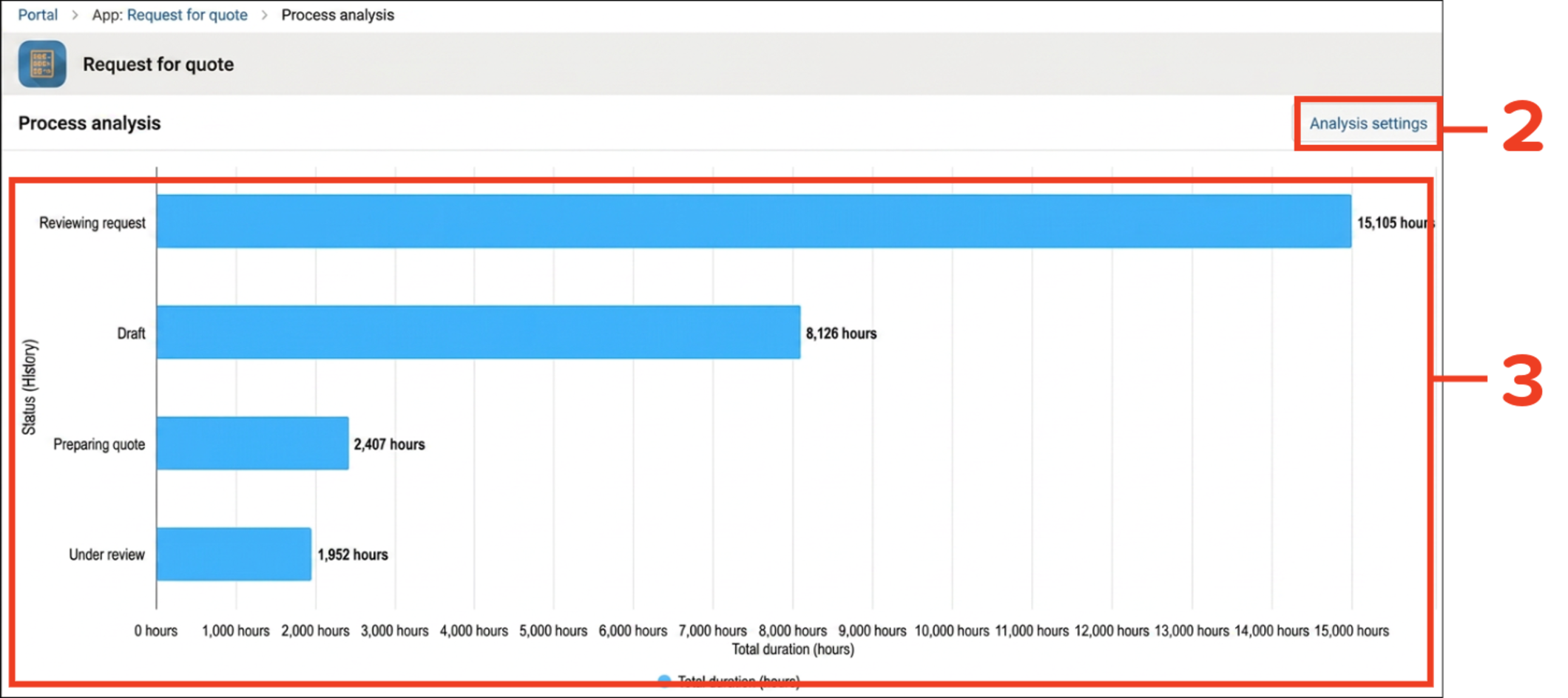
Process analysis is an in-development feature that lets you see how long it took for each status to change in apps that have process management enabled. This helps you identify and understand bottlenecks in your app workflows.
You can specify the fields to use for grouping and which records to include in the analysis, allowing you to view your workflows from different perspectives. You can also specify the analysis period, so you can focus on a specific time frame, such as the period immediately after implementing a process improvement. We plan to continue adding features to help you analyze your workflows in greater depth.
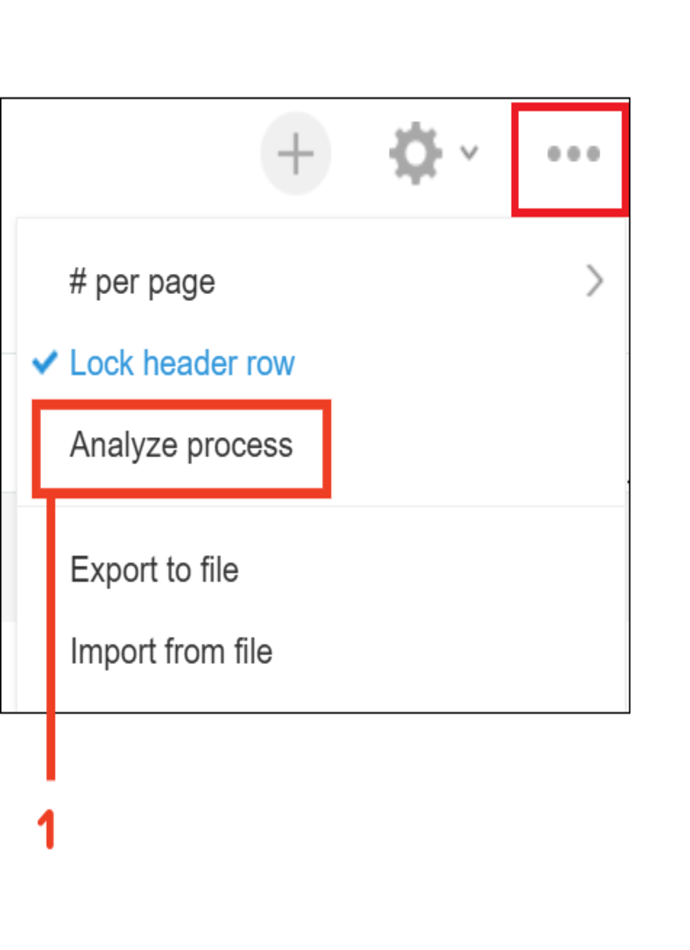

- You can open the "Process analysis" screen by clicking "Analyze process" in the "Options" menu on the "View" screen.
- Click "Analysis settings" and specify the fields to group by, the record filtering conditions, and the period to analyze.
- Check how much time your records spent in each status.
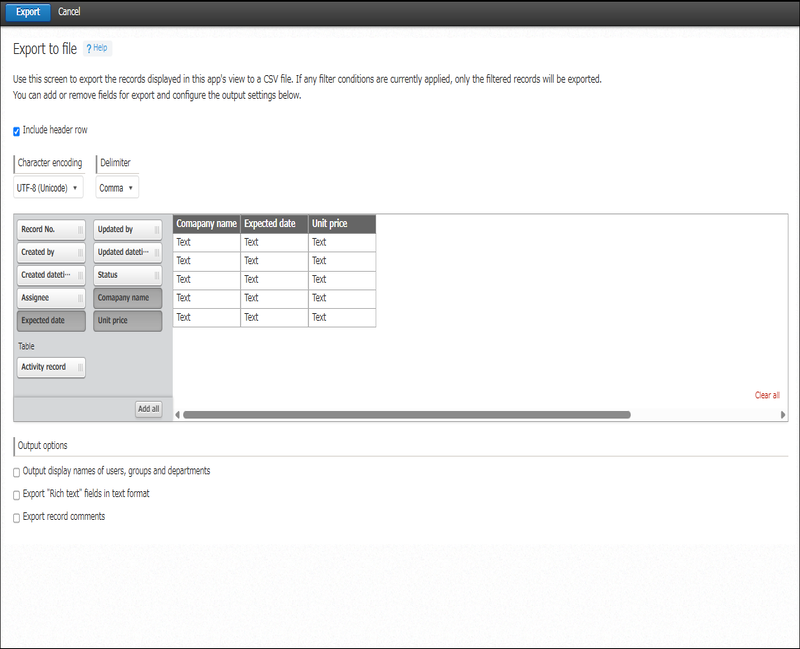
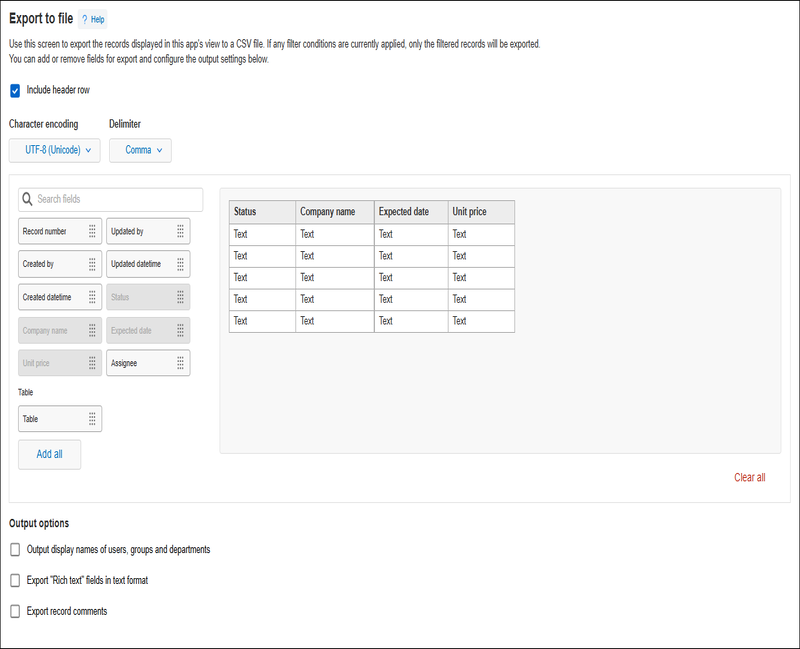
PlatformFront-end infrastructure renewed for the "Export to file" screen
To speed up product improvements going forward, the Kintone development team is progressively renewing the front-end technology infrastructure that's been in use since Kintone first launched, screen by screen. This time, the front-end infrastructure has been renewed for the "Export to file" screen, with some accompanying changes to its layout and components.
Before
After
Changes to update options
| Disable new features | ||
|---|---|---|
No change Always display AI icon (only for Kintone administrators and Users & system administrators) | Can be disabled until the November 2026 scheduled update. | |
No change Banner notifying Kintone administrators and Users & system administrators of Kintone AI credit usage approaching or reaching the limit | ||
No change Ability to use OR search | ||
No change Enhanced JavaScript API support (June 2026 version) | ||
No change Front-end update for the header and global navigation bar in the mobile-optimized view | ||
No change Ability to use AI View Analysis with the mobile app for iOS/Android (Available in Kintone AI) | ||
No change AI feature usage audit logging (Available in Kintone AI) | ||
No change AI App Creator chat window design changes and ability to launch from the form settings screen | ||
No change Notifications for updates to records being viewed or edited | ||
No change Sort search results by relevance | ||
No change Add filter conditions on the "App management" screen | ||
No change Switch between the classic and new "Notifications" screens | ||
No change Use AI Thread Summary in the Android app (Available in Kintone AI) | ||
No change JavaScript API field change event for lookup fields | Can be disabled until the November 2026 scheduled update. | |
No change Front-end update for "Assigned to me" and settings screens (mobile view) | ||
No change Front-end update for the search screen (mobile view) | ||
New Kintone AI: AI decides which fields to fill in based on what you say in the mobile app | Can be disabled until the February 2027 scheduled update. | |
New Specify apps and spaces to include in or exclude from searches | ||
New Additional options for filter conditions on the "App management" screen | ||
New Front-end update for the top page of the "App settings" screen | ||
New Ability to open the App settings review settings directly from Kintone AI administration | ||
| Preview upcoming new features | ||
None | ||
| New features under consideration | No change Improved Kintone administration design ("Header color" screen design and layout change) | |
No change Front-end updates to "Create from Excel" app creation screens and changed import error handling | ||
No change Ability to find apps with AI (Available in Kintone AI) | ||
No change Front-end update for the "Portal" screen (desktop and mobile views) | ||
No change Front-end update for space and thread screens (desktop and mobile views) | ||
No change Front-end updates to "Create from CSV" app creation screens and changed import error handling | ||
No change REST API for searching across Kintone | ||
No longer available Front-end update for the "App settings" screen | ||
No change Front-end update for People pages and the "Messages" screen (desktop and mobile views) | ||
No change Front-end updates to the "Exported files" screen | ||
No change Front-end updates to the "Export aggregation result to file" screen | ||
New Visualize the duration of each status based on process history | ||
New Front-end updates to the "Export to file" screen | ||
Note that these features may be modified outside of scheduled updates. Check the "Update options" screen for the latest status of each feature. | ||
For details on how update options work and on the features currently available, refer to the following Help pages.