
Setting "Display name in different language"
To display users' names on kintone.com based on their respective display languages, set a Display name in different language.
If no Display name in different language is set, the name set as Display name will be displayed on kintone.com.
Steps
-
Access Kintone users & system administration.
Accessing Kintone users & system administration -
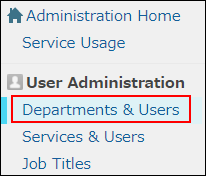
Click Departments & users.
-
In the search box, enter the display name or login name of the user to find the target user.
You can also expand the department tree and select the target user. -
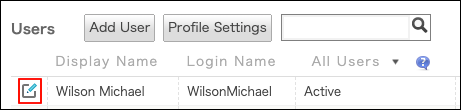
Click the Change icon.
-
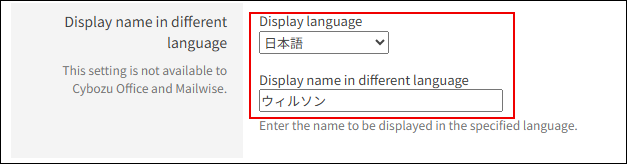
In Display name in different language, enter the display name for the selected language.
-
Click Change user information.