
Allowing users to use two-factor authentication
To enable two-factor authentication, administrators must allow users to use it, and then users enable it by themselves.
The steps to use two-factor authentication are as follows.
Allowing users to use two-factor authentication
-
Access Kintone users & system administration.
Accessing Kintone users & system administration -
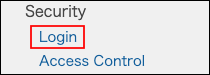
Click Login.
-
In the Two-factor authentication section, select Allow users to use two-factor authentication.
By default, the Allow users to use two-factor authentication option is selected.
If you do not want to change the setting, skip step 4.
-
Click Save.
Informing users to enable two-factor authentication
Inform users of the following page:
Enabling two-factor authentication