
Reordering custom fields
When multiple custom fields are registered, you can change their display order.
Example of reordering
This is an example of reordering using the "Profile" screen.
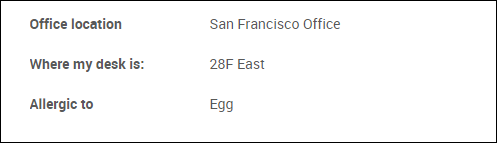
- Layout before reordering
- If the fields are listed in the order of "Office location", "Where my desk is", and "Allergic to", these fields are displayed in the "Profile" screen as below.
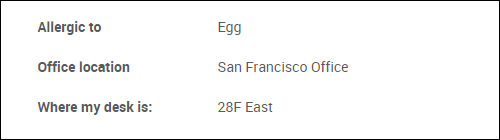
- Layout after reordering
- If the fields are listed in the order of "Allergic to", "Office location", and "Where my desk is", these fields are displayed in the "Profile" screen as below.
Steps
This section describes the steps to change the display order of custom fields.
-
Access Kintone users & system administration.
Accessing Kintone users & system administration -
Click Departments & users.
-
Click Profile settings.

-
Click Reorder.

-
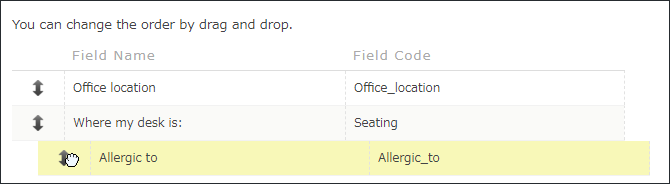
Move the custom fields you want to reorder to the desired position by a drag-and-drop action.
-
Click Save.